7 Homedepot.ca
Please contact 1-866-308-3976 for further assistance.
Installation (continued)
6
Mounting the light fixture
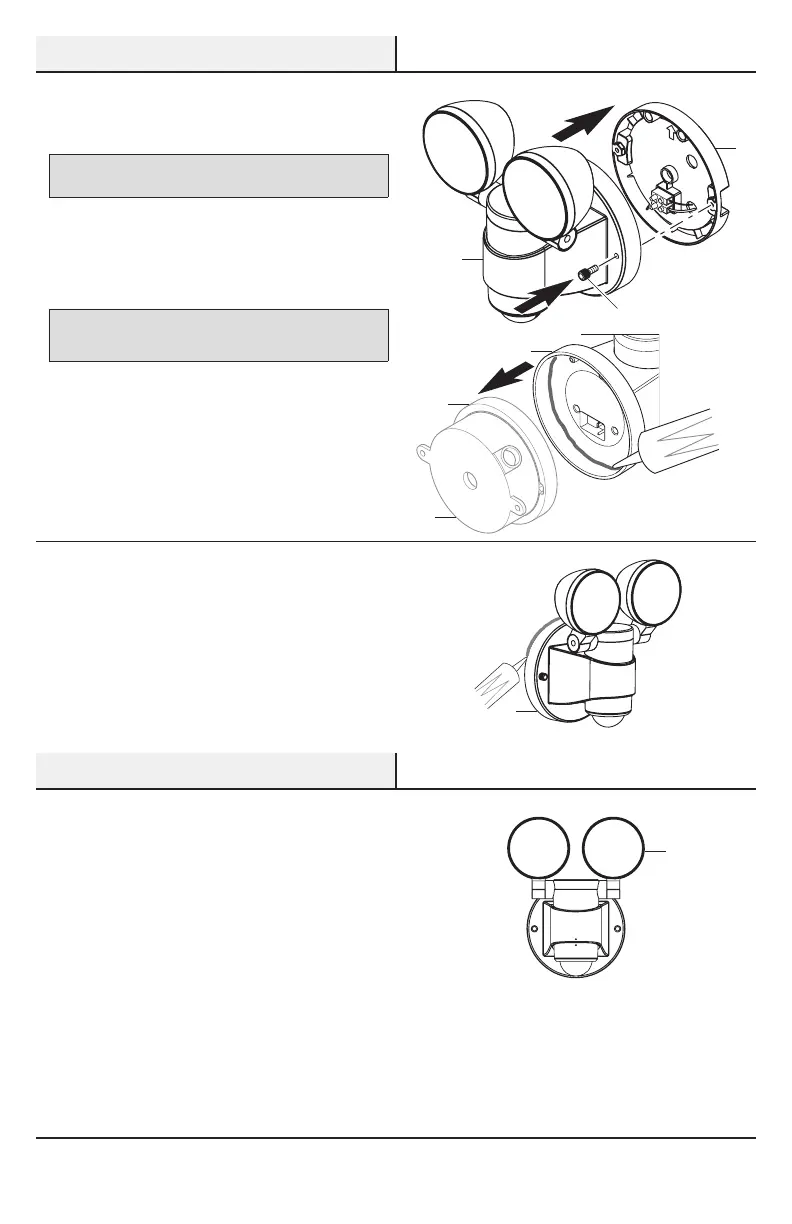
NOTICE: The two pins on the rear of the light xture must be
inserted into the terminal block for the light to work.
□ Slide the light xture (B) onto the mounting
plate(D).
□ Tighten the two decorative screws (CC)
securely. Do not overtighten.
NOTICE: When attaching this light to an external, surface mount
junction box (1), caulk around the inside of the light xture (B) before
attaching to the mounting plate (D).
7
Caulking around the light
fixture
□ Caulk around the mounting plate (D) and
mounting surface with silicone sealant (not
included).
Operation
1
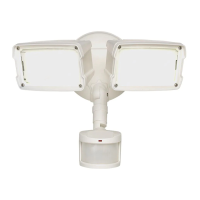
Adjusting the lamp heads
□ Turn the power on at the circuit breaker or fuse
and turn on the wall switch.
□ If needed, gently grasp the lamp heads (A) and
tilt or rotate them to adjust the light coverage
area.
D
CC
D
A
B
D
B
1




 To Next Page