(/fullviews/1749761/1749761_files/1749761-28.png)
OR
(/fullviews/1749761/1749761_files/1749761-29.png)
(/fullviews/1749761/1749761_files/1749761-30.png)
^
^ ^ ^ ^
^
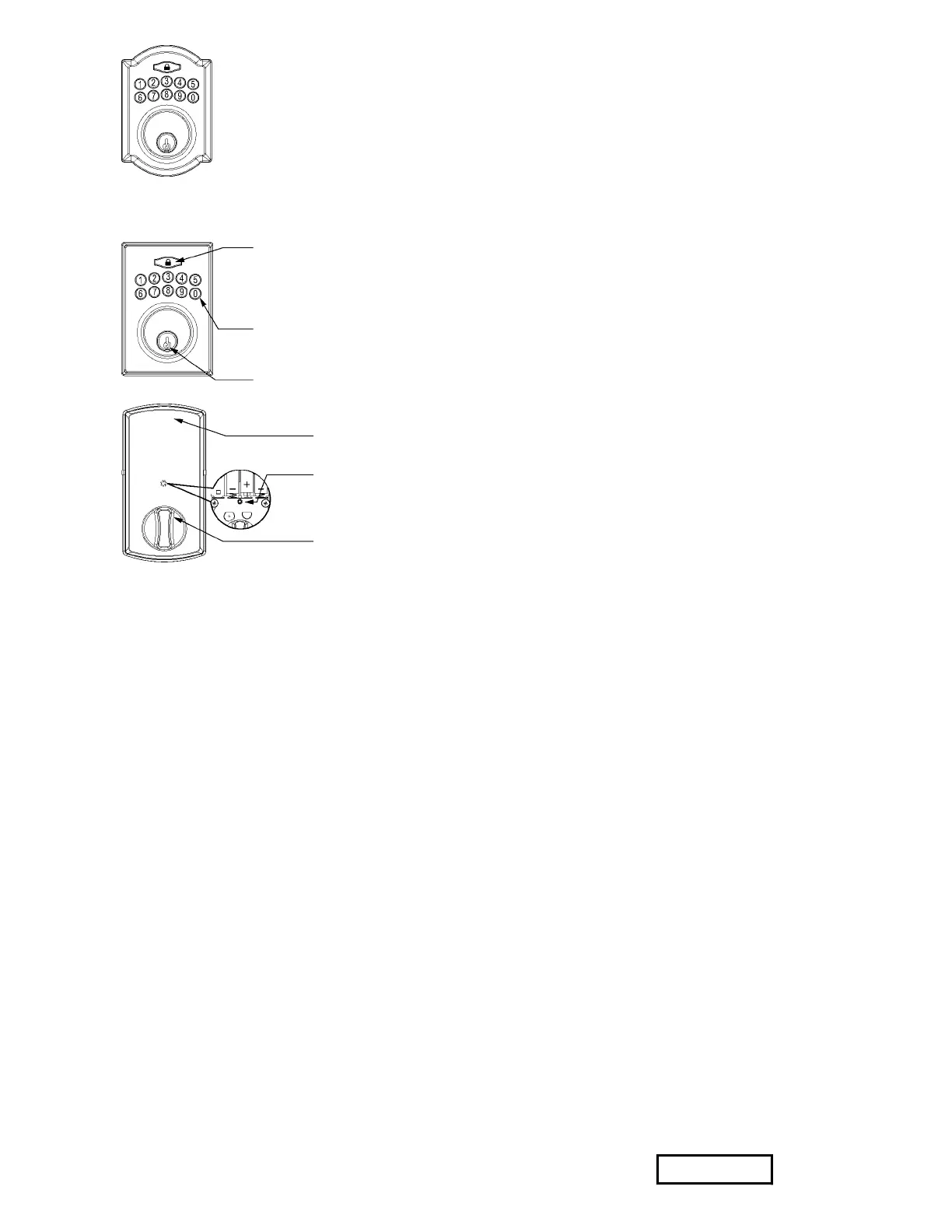
ENTER / LOCK BUTTON
1. Red light: Represents an incorrect entry or the unit is in programming mode.
2. Yellow light: Flashes when the batteries are low in power.
3. Green light: Represents a correct entry.
4. Press to activate or lock the lockset.
KEYPAD
1. Unlock the lockset by entering a valid User Code.
2. Program the lockset by entering a valid Programming Code in Programming Mode.
MECHANICAL KEYWAY OVERRIDE
1. Lock or unlock the lockset by a valid key.
BATTERY COVER
1. Protect the batteries from unexpected damage.
Your experience on this site will be improved by allowing cookies. Allow cookies


 To Next Page