19 20
COPY FUNCTION
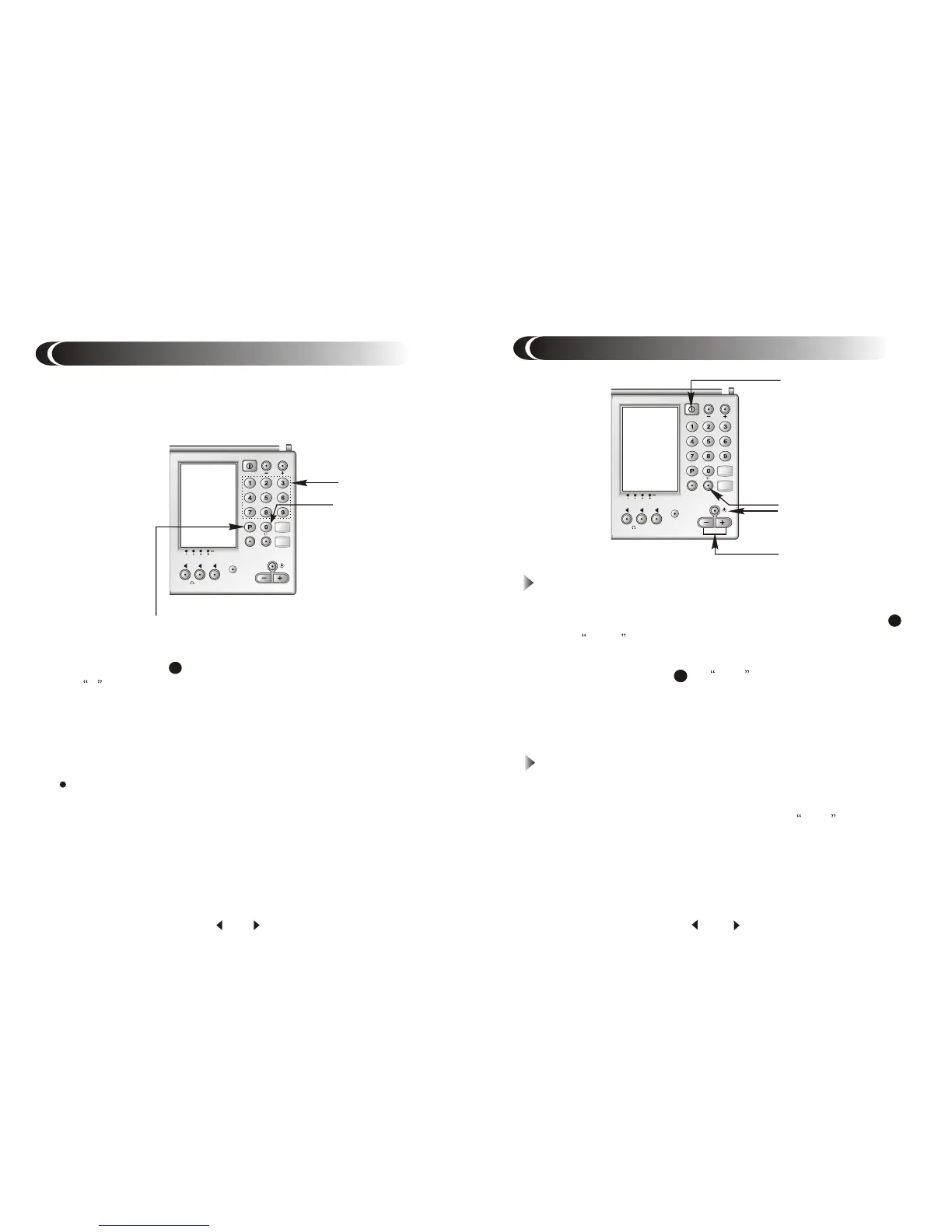
All stored stations on Page 0 can be copied to other page. If
copy to page 7-9, please note the band must be constant.
1. Turn to Page 0, make sure there are stations stored.
2. Press button P , P will flash 3 seconds, page number
0 disappears.
3. While P is flashing, press number 0, 0 will flash for 3 seconds.
4. While 0 is flashing, press the page number you want to copy
to.
5. Copy succeed.
New stations copied from Page 0 will cover the old ones
which preset on that page before.
5
Delete Single Station
1. Turn on the unit.
2. Set the scan method to MEM by press SCAN button
till MEM appears in the display.
3. Press SCAN+ / - to select unnecessary stations.
4. Press DEL button , DEL appears in the display,
and preset number flashes for 3 seconds.
5. Press DEL button again while the preset number is
flashing, the stored station is deleted.
DELET STATIONS
9
8
Delete Whole Page
1. Turn on the unit.
2. Press P button and page number you want to delete.
3. Hold down DEL button for 1 second, DEL appears
in the display, and page number flashes for 3 seconds.
4. Press DEL button again while page number is flashing,
all the stations on this page will be delete.


 To Next Page