26
12”
07 Settings menu
Degritter comes packaged with a
color coded measurement rip.
With it you can measure the dis-
tance from the edge of your record
to the desired water level setting.
CURRENT
WATER
LEVEL
WATER
LEVEL
INDIcation
WATER LEVEL
The water level setting allows you to
change the water level in the ultra-
sonic tank. Press the right button to
switch between water level settings.
For cleaning 12” records it is recom-
mended to use a medium water
level setting.
The low water level setting is fur-
the from the record label, but
with this setting the water level is
closer to the filtration intake. On
rare occasions using this setting
can cause more foaming in the
machine.
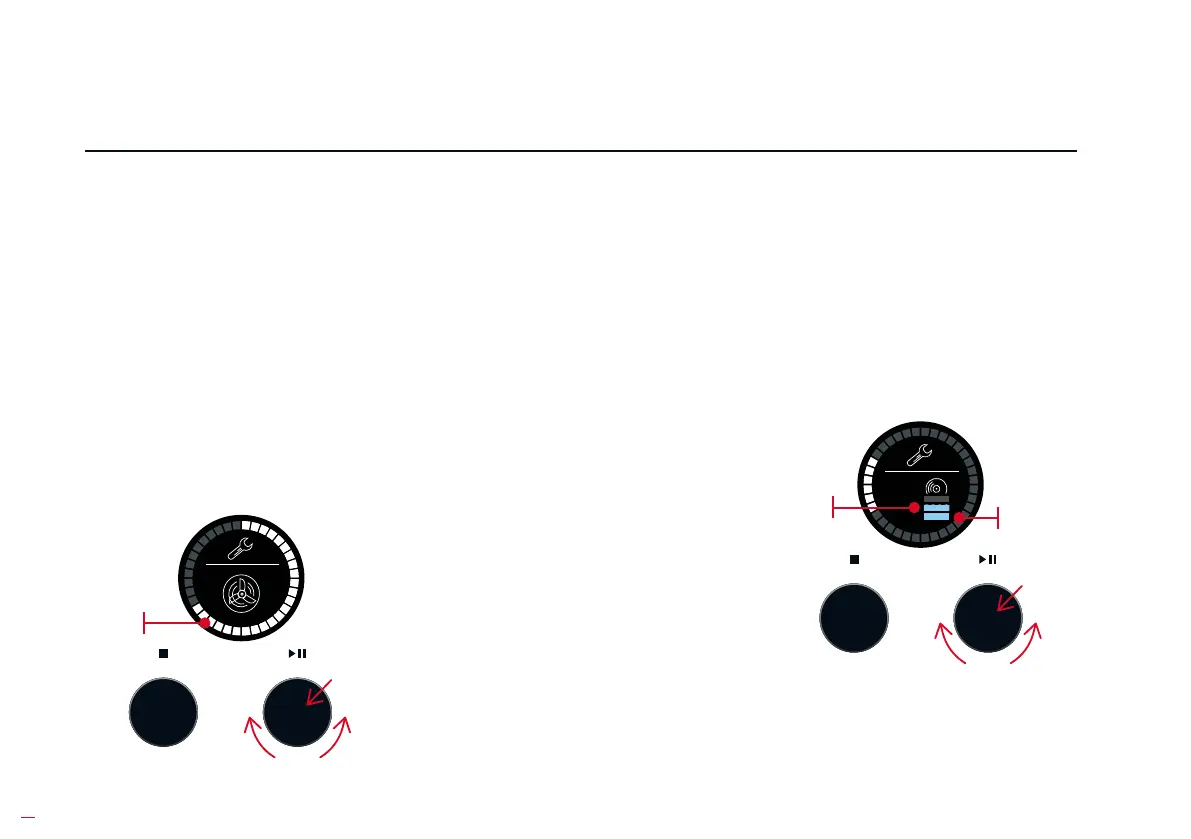
CURRENT
FAN SPEED
FAN POWER
To adju the fan power setting,
press the button on the right - this
as the fans and the configura-
tion. Now rotate the button on the
right to adju fan power. Press the
button on the right again to save
your desired fan power value.
Less power means less audible
noise, but it also dictates a longer
drying time and vice versa.


 To Next Page