14
04 Getting aed
01 SELECT PROPER AC VOLTAGE
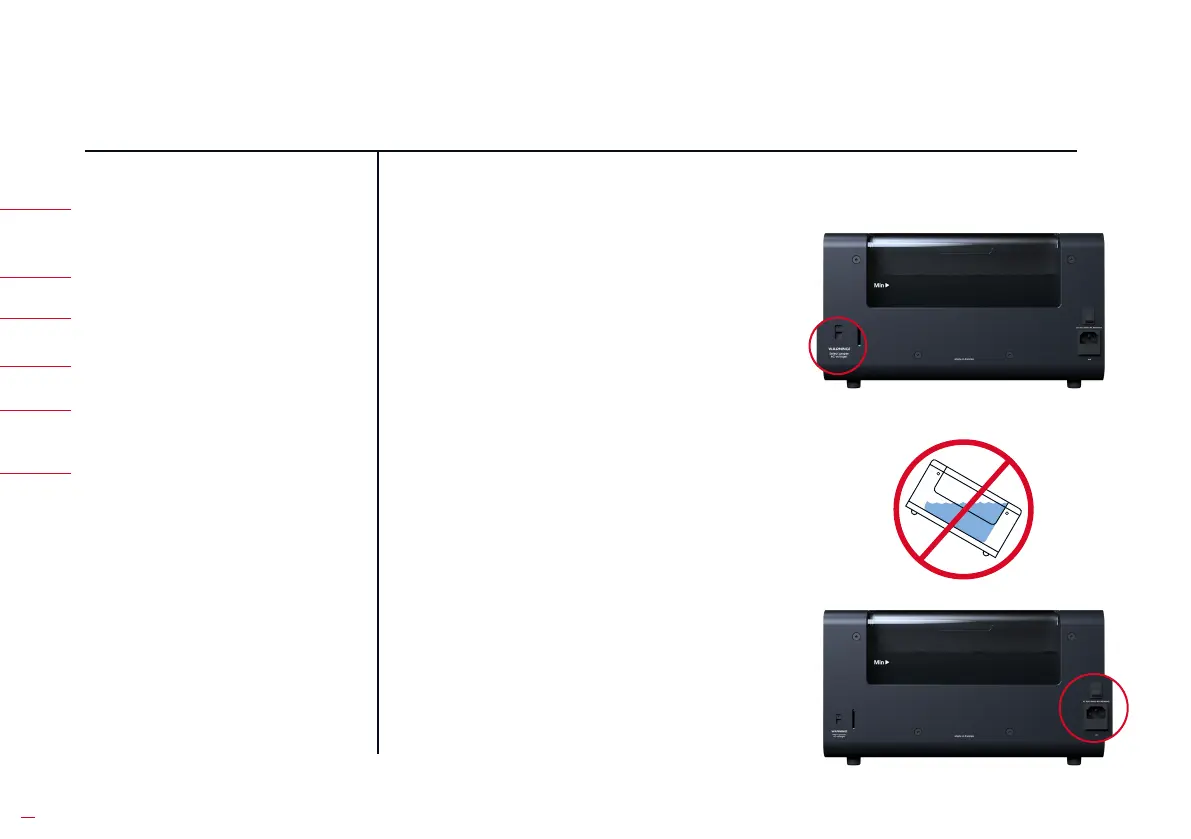
Make sure the slide switch is in the
position indicating your wall output
voltage, either 230 V or 115 V. Use the
tip of a pen to slide the switch.
WARNING: An incorrect AC setting
will damage the product and is not
covered by the product warranty.
Degritter mu be placed on a level
suace for it to function properly.
Plug one end of the power cable
into the machine and the other end
into your wall outlet. Turn on the
machine from the AC switch at the
back.
01 SELECT PROPER
AC VOLTAGE
04 PUT WATER INTO THE TANK
05 INSERT THE RECORD
INTO THE MACHINE
06 PRESS START
02 PLACE ON LEVEL SURFACE
02 PLACE ON LEVEL SURFACE
03 TURN DEGRITTER ON
03 TURN DEGRITTER ON


 To Next Page