32
10 Inalling soware updates
PREPARE THE SD CARDPREPARE THE SD CARD
INSTALL SOFTWARE
VERIFY SOFTWARE VERSION
1. Make sure to get a card with
under 32GB of size. The SD card
mu have FAT32 or FAT16 file
syem and usually these are
cards with 16GB or less space.
Larger cards will use exFAT that
unfounately will not work.
2. Download the late compati-
ble soware from the Degritter
website (degritter.com). The
name of the soware file is
degrittr.bin. Make sure that the
file name is correct - be mindful
of the missing letter e.
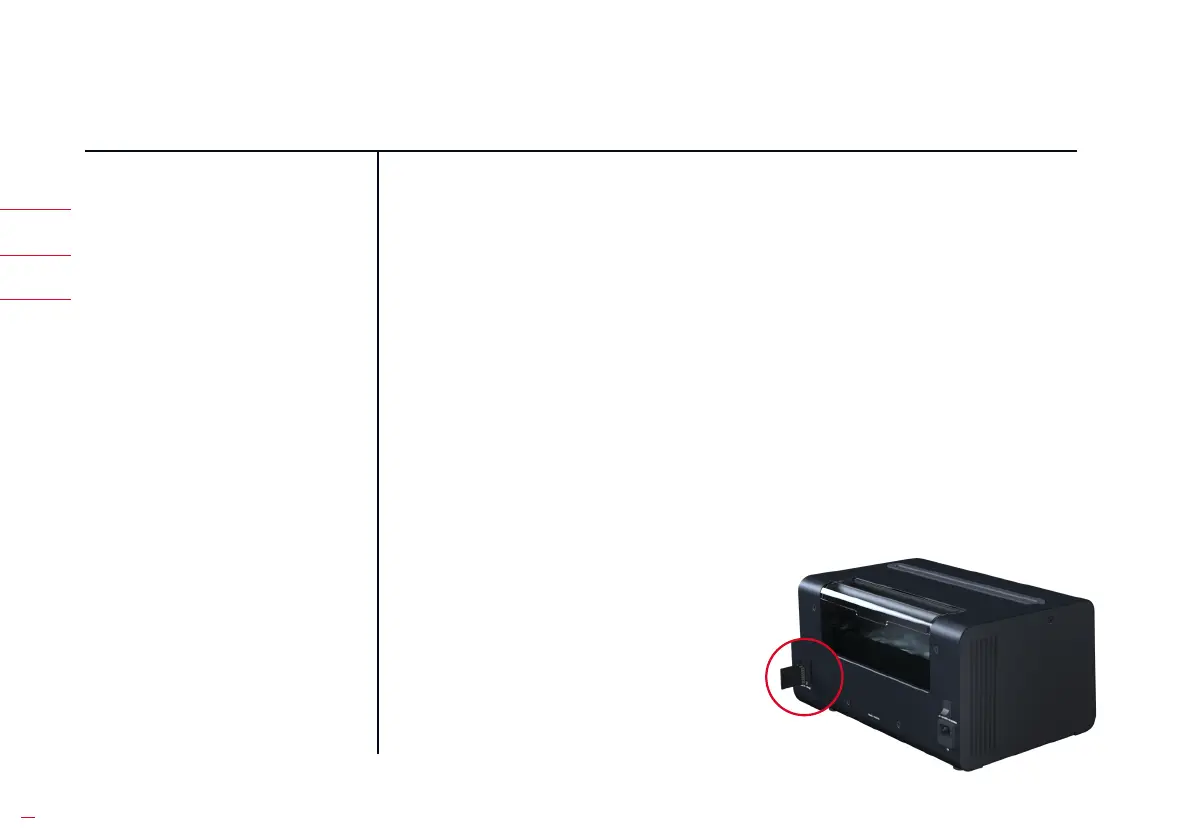
3. Inse the SD card into your
computer and it should show
up as a new drive. Copy the
“degrittr.bin” soware file that
you downloaded from our
website on to the SD card.
The file mu be placed in the
root directory. It mu NOT be in
any folders.
4. On your PC or Mac, right click
on the SD card drive and select
“Eject”. Only aer this has been
done can you remove the card
from the computer. This makes
sure that the computer does
not accidentally corrupt any
data on the drive.


 To Next Page