-12-
* SYNC LED slowly flashing red indicates that TC-1 is waiting to be syncronized or
syncronization was unsuccessful.
* SYNC LED quickly flashing indicates that the syncronization is on-going.
* SYNC LED staying green indicates that TC-1 stays at Master Run mode or syncronization
was successful .
Note: During Master Run mode, TC-1 also can be jam-synced by an external
timecode source or other TC-1 via the 3.5mm cable.
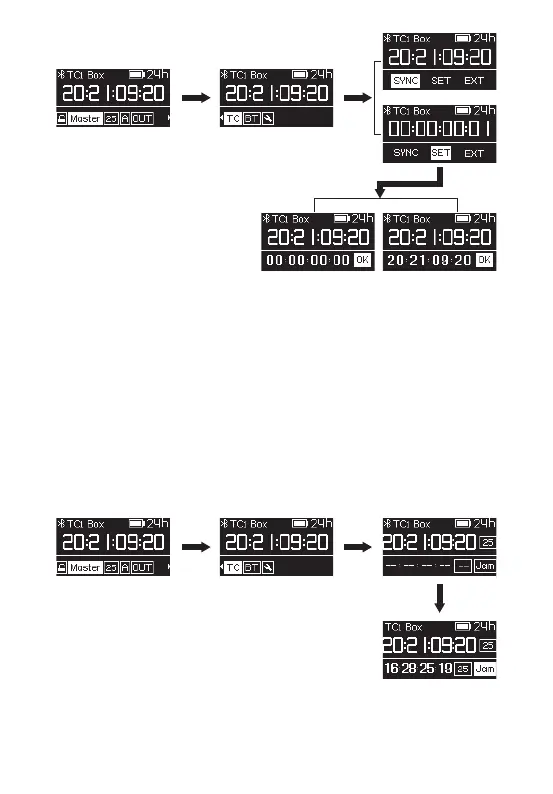
Set TC-1 mode to Master Run mode, enter TC setting, select EXT option and TC-1
will detects the external timecode and frame rate automatically. Press the function
control wheel to select Jam and synchronize to an external timecode source.


 To Next Page