20
Dejavoo Systems Restaurant Addendum V720.08
CARD CODE
Use the chart below to enable or disable and configure settings for Card Code prompts during
a transaction.
Tip:
Visa
M/C Will Prompt for CVV2 Back of card
Amex Will Prompt for CID Front of card
Discover Will Prompt for CID Front of card
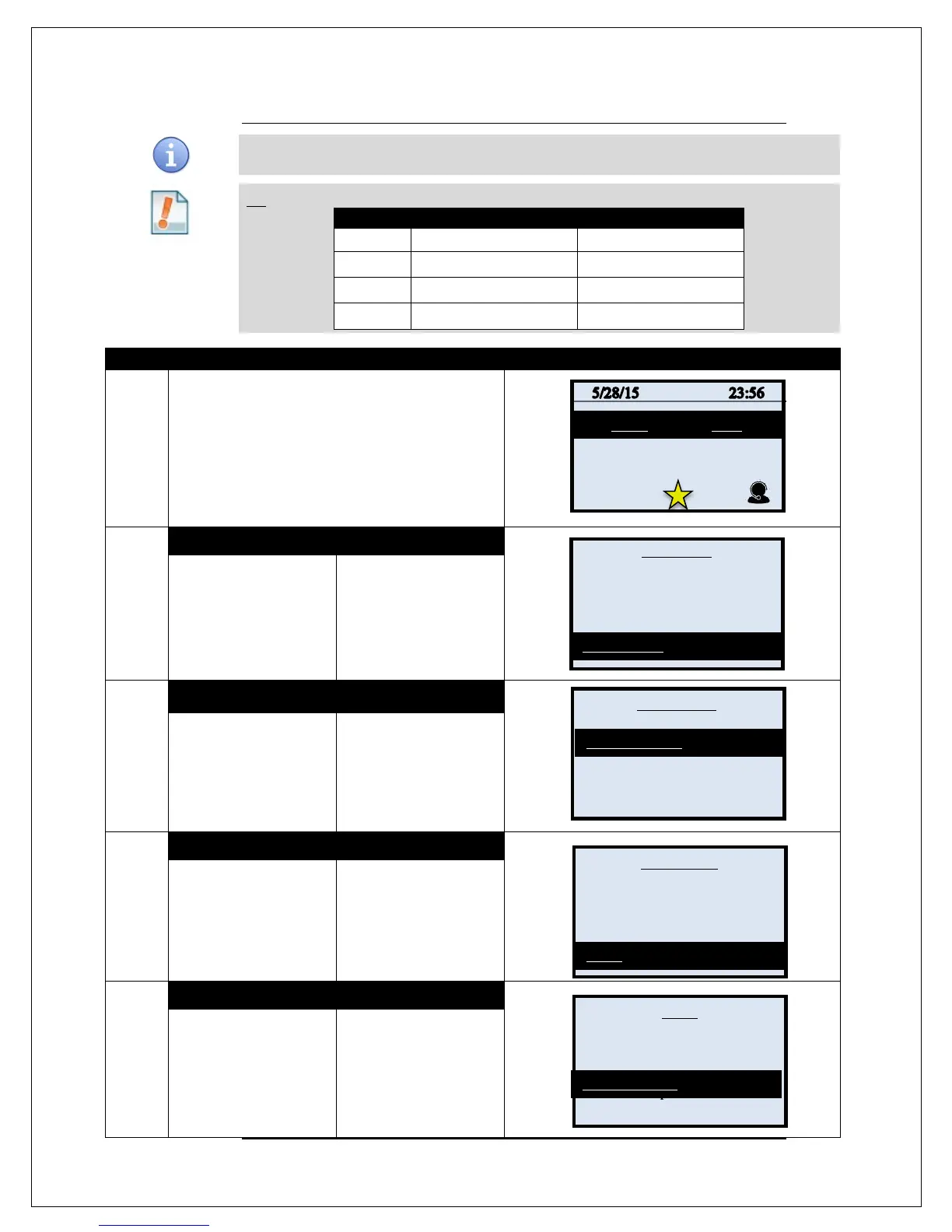
1.
From the idle prompt press the OK key to access
the Core Menu.
2.
NON TOUCH SCREEN
TOUCH SCREEN
Using the down arrow
key highlight the word
APPLICATIONS and
press OK
* If prompted input
password, default is 1234
Using your fingertip
TAP the word
APPLICATIONS
* If prompted input
password, default is 1234
3.
NON TOUCH SCREEN TOUCH SCREEN
Press OK on
Credit/Debit/EBT
Using your fingertip
TAP the words
CREDIT/DEBIT/EBT
4.
NON TOUCH SCREEN
TOUCH SCREEN
Use the down arrow to
highlight SET UP and
press OK
* If prompted input
password, default is 1234
the words SET UP
* If prompted input
password, default is 1234
5.
NON TOUCH SCREEN
TOUCH SCREEN
Use the down arrow to
highlight TRANS
PROMPTS and press
OK
Using your fingertip
TAP the words TRANS
PROMPTS
Continued on next page
Settlement ->
Reports ->
Favorites ->
Utility ->
Report ->
Host Utility
Presale Ticket
Reprint Receipt ->
Print Options ->
Security ->
Card Types ->
Ca
Trans Prompts ->
Tip ->



 To Next Page