Dejavoo Systems Instruction Manual V525.15 44
AUTHORIZATION (AUTH ONLY)
An Authorization Only transaction is used to verify funds and obtain an approval code. It is
important to note that an Authorization Only does NOT CHARGE the customer’s credit card
however places a hold for the requested amount on the customer’s open-to-buy limit. After
an “Auth Only” is processed the approval code is used at a later time to perform a Ticket Only
sale transaction to charge the account.
For Example: To reserve a cabin at Lake Cawanna there is a $100.00 deposit required at
the time of the reservation. The merchant processes an AUTH ONLY
transaction for the $100.00, receiving an authorization code to hold the funds.
When the customer completes his/her stay the merchant charges the credit
card by processing a TICKET ONLY sale using the authorization number that
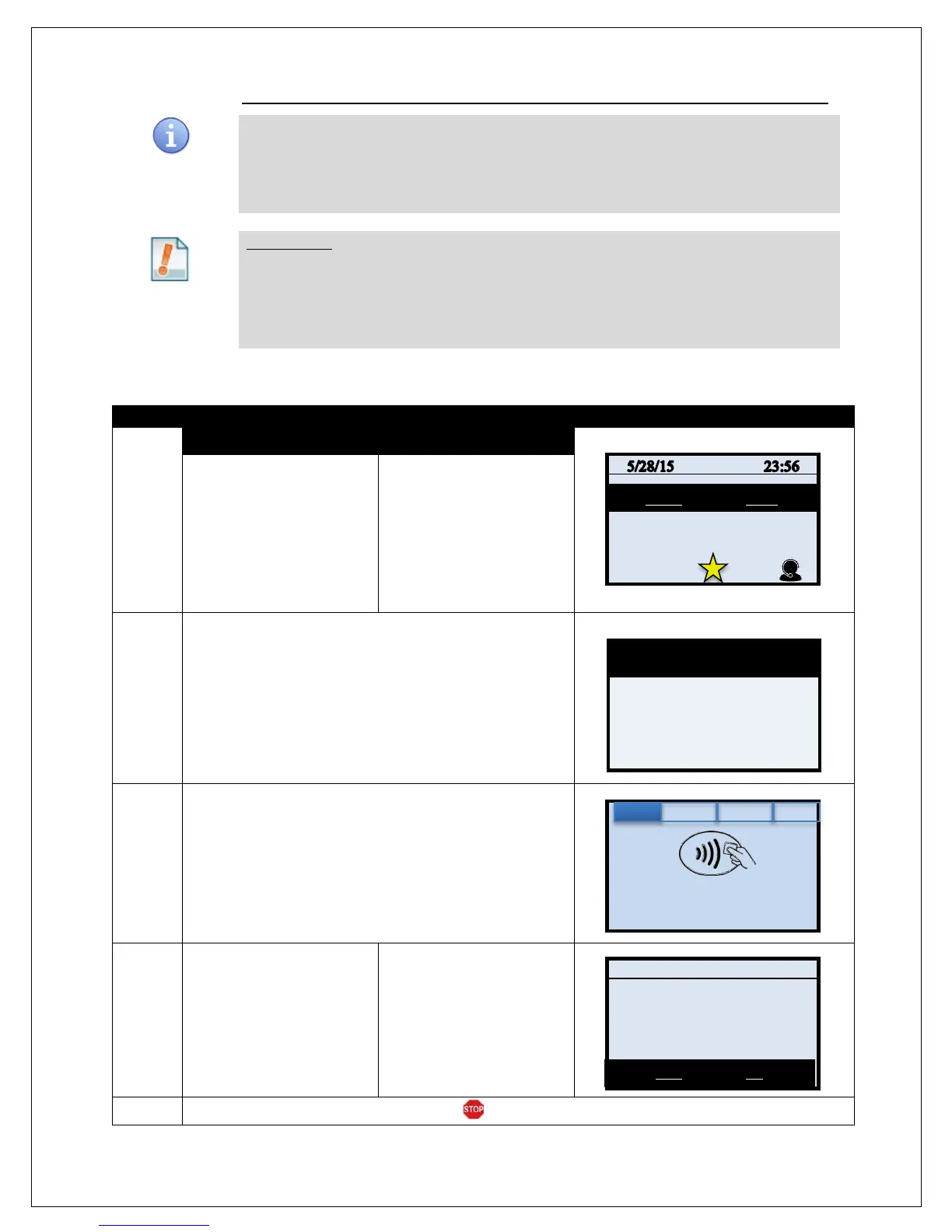
AUTH ONLY – (ALLOWED FOR CREDIT ONLY)
1.
NON TOUCH SCREEN TOUCH SCREEN
Press the Yellow backspace
key to change the
transaction type to AUTH
Input the AUTH AMOUNT
and press OK
Use your fingertip to Tap the
word SALE then Tap the
word AUTH
Input the AUTH AMOUNT
and press OK
2.
Input the Manager Password if Prompted, the default is
1234 and press OK
3.
Tap (contactless only), Insert, Swipe or Manually Enter Card
Number
4.
Press YES to confirm auth
amount
Press F2 for YES to auth
sale amount
5.
The terminal returns to the idle prompt.
Enter Card #
Sale: $5.00
Auth
MASTERCARD
Total: $5.00?



 To Next Page