Dejavoo Systems Instruction Manual V525.15 86
T
RAINING MODE ON/OFF
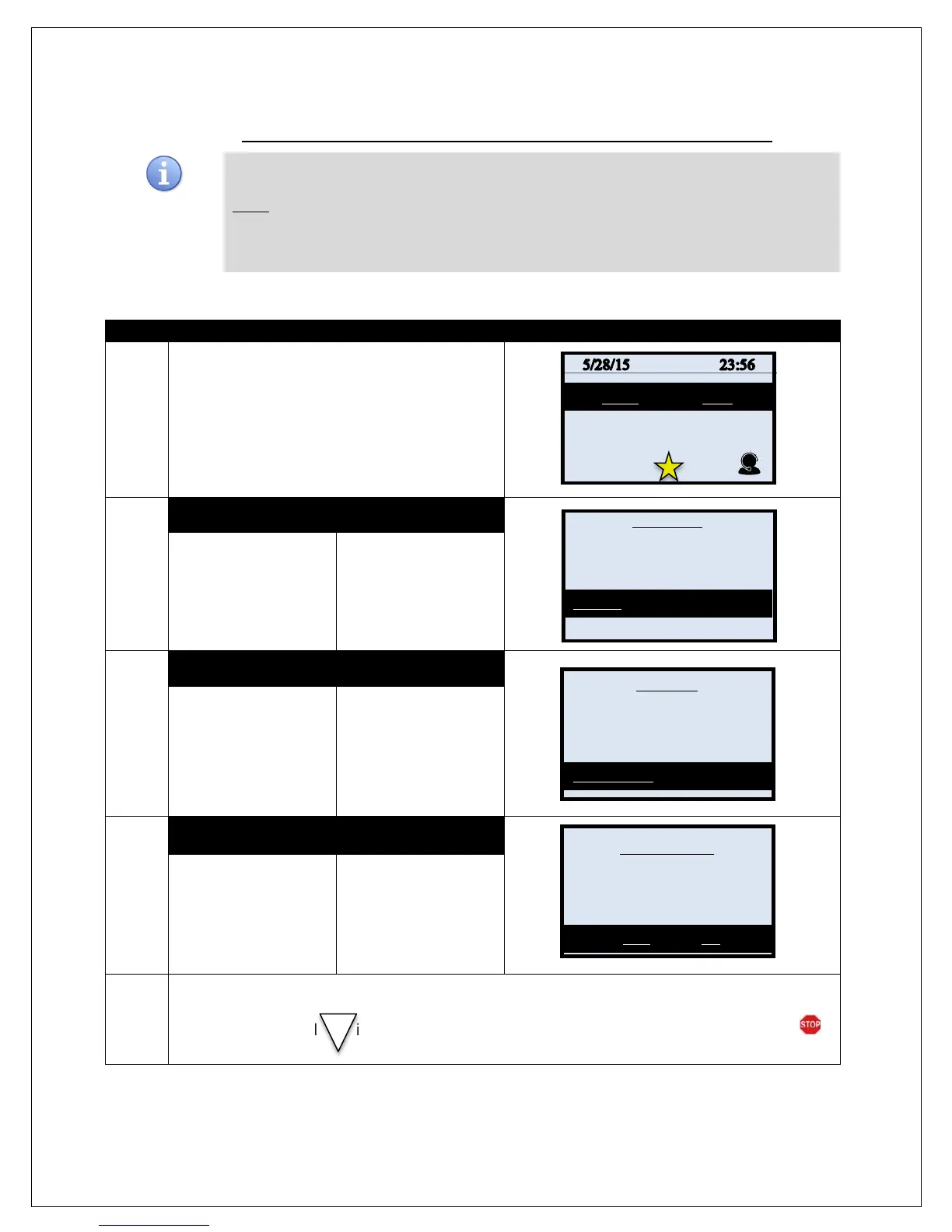
Use the directions below to turn training mode ON or OFF
*Note: All ations in Training Mode are fictitious and NOT real. To process live actions and
transactions in the terminal you must have Training Mode OFF. When Training Mode is on the
terminal idle prompt will blink “TRAINING MODE” and every receipt and report will print with a
training mode disclaimer/reminder at the bottom of the print. .
1.
From the idle prompt press the OK key to access
the Core Menu.
2.
NON TOUCH SCREEN TOUCH SCREEN
Using the down arrow
key highlight the word
UTILITY and press OK
* If prompted input
password, default is 1234
Using your fingertip
TAP the word UTILITY
* If prompted input
password, default is 1234
3.
NON TOUCH SCREEN TOUCH SCREEN
Using the down arrow
key highlight the word
TRAINING MODE and
press OK
* If prompted input
password, default is 1234
Using your fingertip
TAP the word
TRAINING MODE
* If prompted input
password, default is 1234
4.
NON TOUCH SCREEN TOUCH SCREEN
Press F2 for YES to turn
Training Mode ON or
Press F4 for NO to turn
Training Mode OFF.
Using your fingertip
TAP the word
TRAINING MODE
5.
When put in Training Mode, the terminal will print out a disclaimer advising that transactions run in
Training Mode are fictitious and not live actions or transactions. If Training Mode is on the idle prompt
will display this symbol in the upper right corner to remind you the terminal is not in live mode.
Settlement ->
Reports ->
Favorites ->
Utility ->
Retrieve Password ->
Software Downalod ->
Communications ->
Security ->
Enter Training Mode?



 To Next Page