SkinFibroMeter User Manual v 2.0
2.1.2018
5
OPERATING INSTRUCTIONS
1. Switch the power on by pressing the grey operating button. The
message WAIT is displayed.
o The SkinFibroMeter is ready to measure when the message
READY is displayed with a short tone.
2. Touch the skin with the probe perpendicularly, slightly and very
shortly.
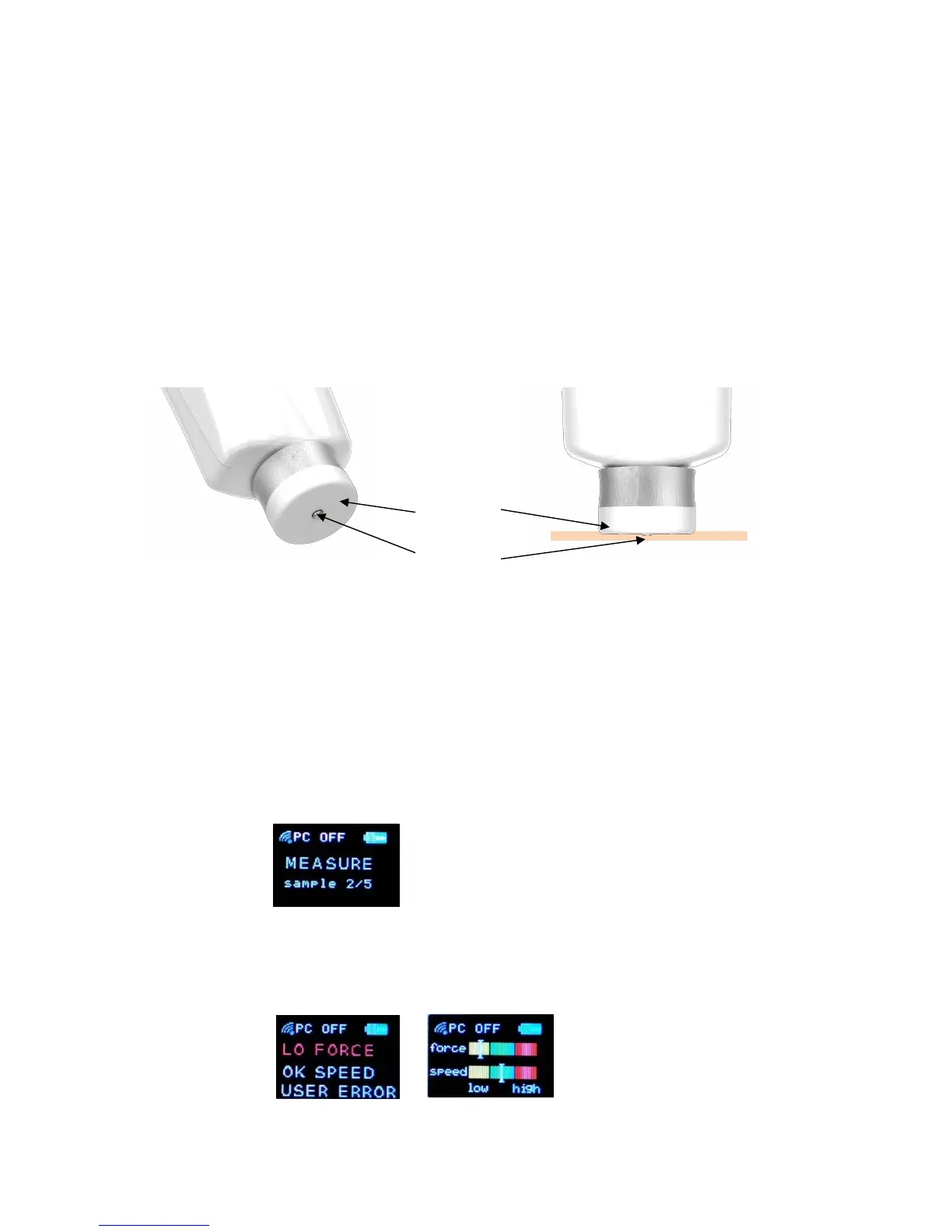
o The indenter touches the skin first, then the base plate.
o The indenter imposes a constant deformation when the base
plate is in full contact with the skin.
o The force sensors recognize the skin contact and the
measurement starts automatically.
o Support your hand to get a proper contact.
o If the measurement was correctly performed, the message
“MEASURE sample 2/5” is displayed.
o If the measurement was not correctly done, the message USER
ERROR is displayed and the following messages alter.


 To Next Page