Quick Installation Guide Installation
deliberant Page 7
Installation
This chapter provides installation instructions for the hardware components of the APC 2Mi.
Package Contents
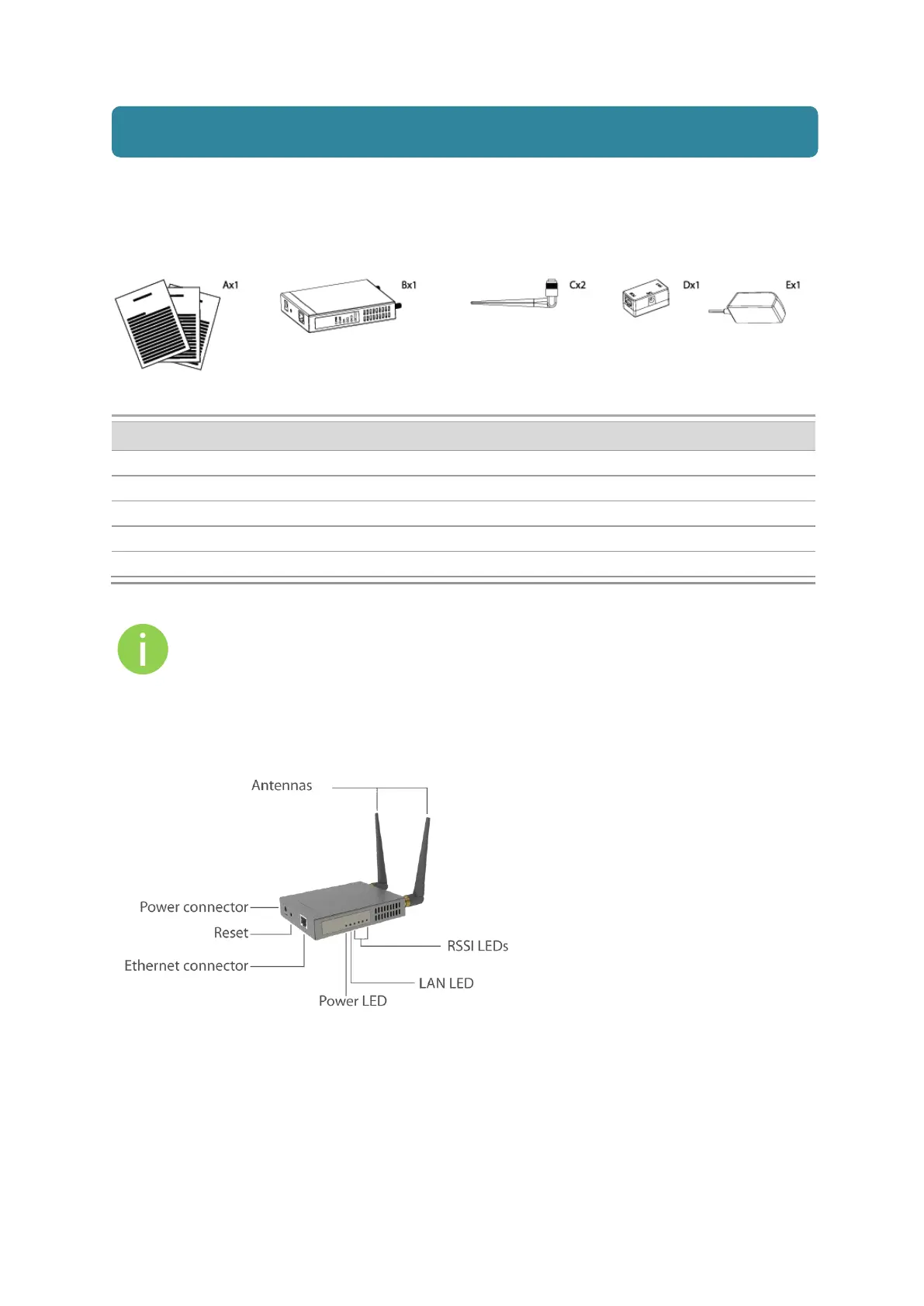
The figure below displays APC 2Mi package contents.
Figure 1 – APC 2Mi Package Contents
APC 2Mi Quick Installation Guide
If any of these items are missing or damaged, please contact your reseller.
Hardware Introduction
APC 2Mi is housed in a rugged metal enclosure and has two omni antennas:
Figure 2 – APC 2Mi Overview
The APC 2Mi contains:
Power connector
Ethernet port
Reset button enables to reboot and reset the device configuration to the factory defaults.
6 LEDs: power LED, LAN activity LED and 4 LEDs for device RSSI level indication
2 omni antennas



 To Next Page