Quick Installation Guide Installation
deliberant Page 9
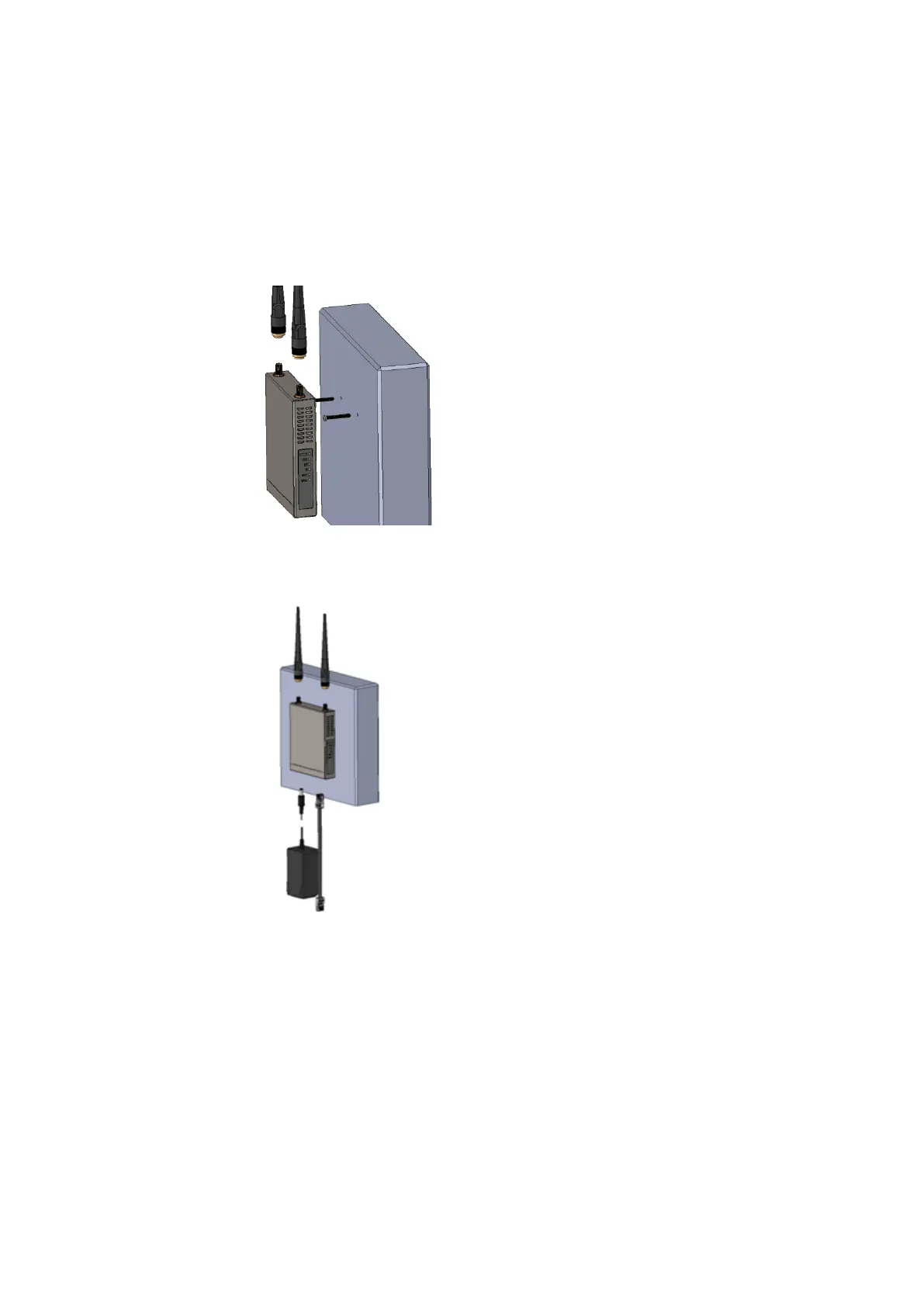
Mounting the APC 2Mi on the Wall
The indoor unit APC 2Mi unit can be mounted on a wall easy. Follow the steps for APC 2Mi
installation on a wall:
Step 1. Attach the unit by a two screws on a wall and push it downwards until it clicks into
position:
Step 2. Connect omni antennas (item C in the Figure 1 – APC 2Mi Package Contents),
Ethernet cable and power adapter (item D and E in the Figure 1 – APC 2Mi Package
Contents), to the APC 2Mi:
Step 3. After the power adapter was connected to the APC 2Mi, the green power LED and LAN
LED must be on (refer at the respective section LEDs). Dependently on link quality, up
to four yellow LEDs will switch on indicating that the link between two units was
established successfully.
Step 4. After the link between two devices was established, align antennas for the maximal
performance. Run the Antenna Alignment tool in the Web management interface and
move omni antennas in the horizontal and vertical planes until the maximum RSSI
visible on the Antenna Alignment graph is achieved.



 To Next Page