Quick Installation Guide Installation
deliberant Page 10
APC Assembling and Mounting
The APC Propeller 2 and APC Propeller 5 units are supplied with mounting hardware
for pole or wall installations. Follow the steps for APC Propeller 2 or APC Propeller 5
assembling and mounting on a preferable surface.
Step 1. Make sure that the APC unit is powered-off.
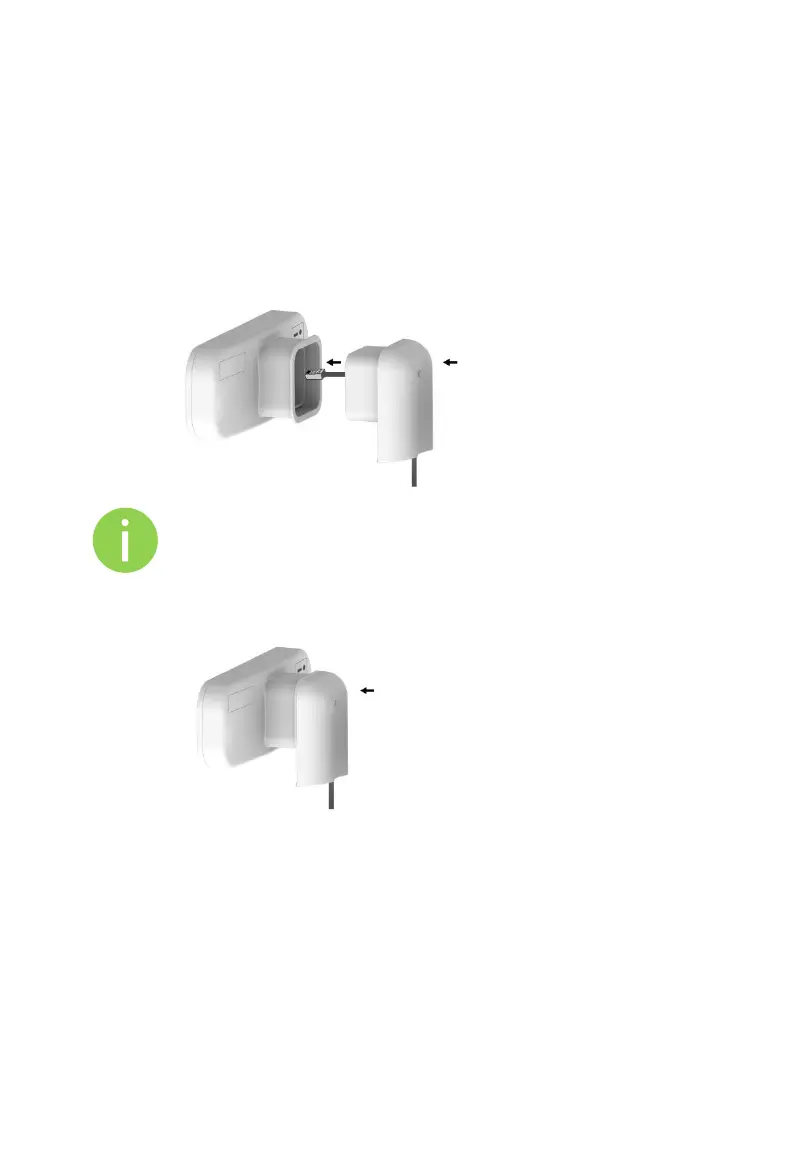
Step 2. Insert the UTP cable into the APC unit’s ETH port through the insert
bracket (tem 2 in the Figure 1 – Package Contents) and as displayed in
the picture below:
It is recommended to use shielded STP Ethernet cable to reduce
exposure of the electromagnetic noise.
Step 3. Connect unit with the insert bracket (item 2 in the Figure 1 – Package
Contents):



 To Next Page