10 Connecting Your Projector
Connecting to a Computer
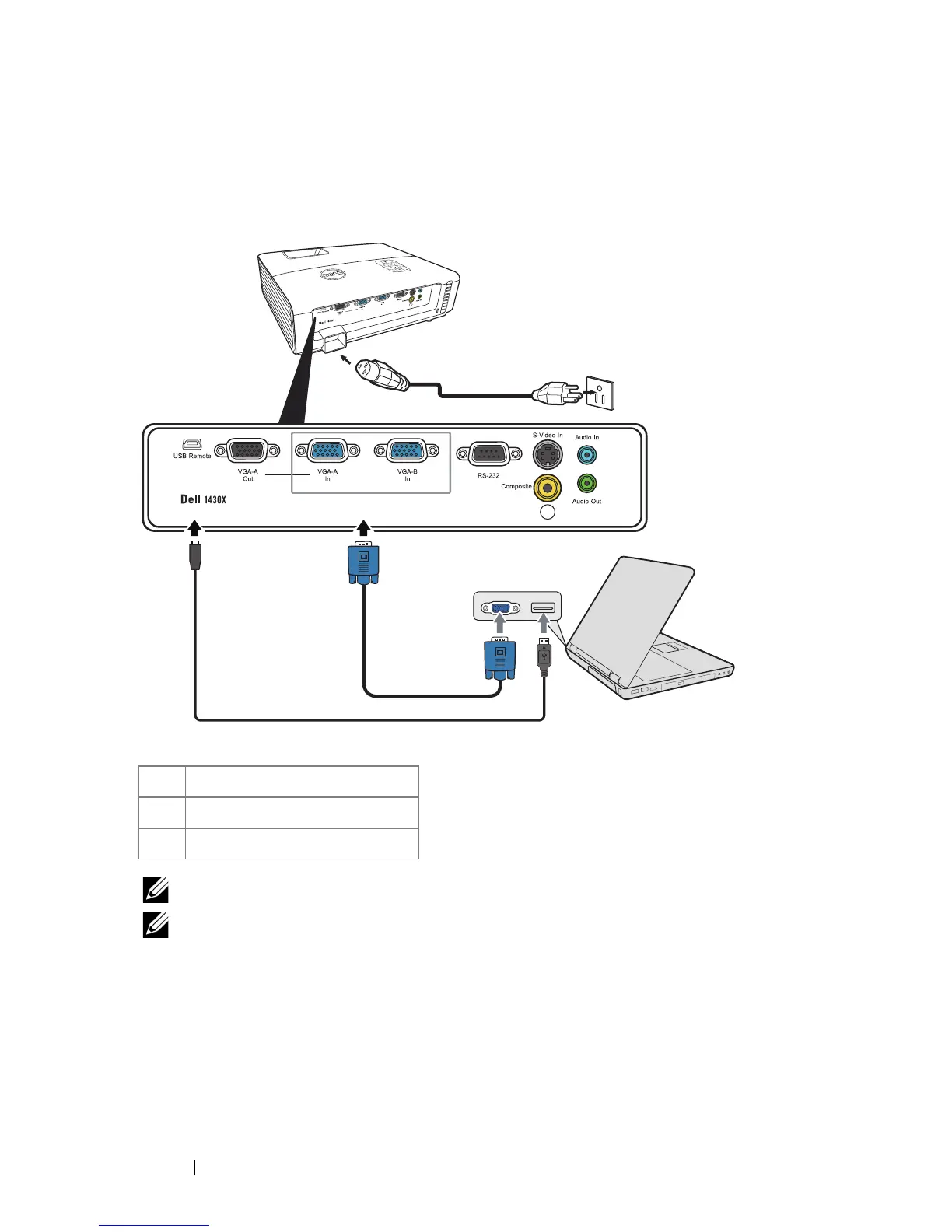
Connecting a Computer Using a VGA Cable
NOTE: The Mini USB-B cable is not provided with your projector.
NOTE: The Mini USB-B cable must be connected if you want to use the Page
Up and Page Down features on the remote control.
1 Power cord
2 VGA to VGA cable
3 USB-A to Mini USB-B cable



 To Next Page