16 Using Your Projector
3
To power off the projector quickly, press the Power button and hold for 1 second
while the projector’s cooling fans are still running.
NOTE: Before you turn on the projector again, wait for 60 seconds to allow the
internal temperature to stabilize.
4
Disconnect the power cord from the electrical outlet and the projector.
Adjusting the Projected Image
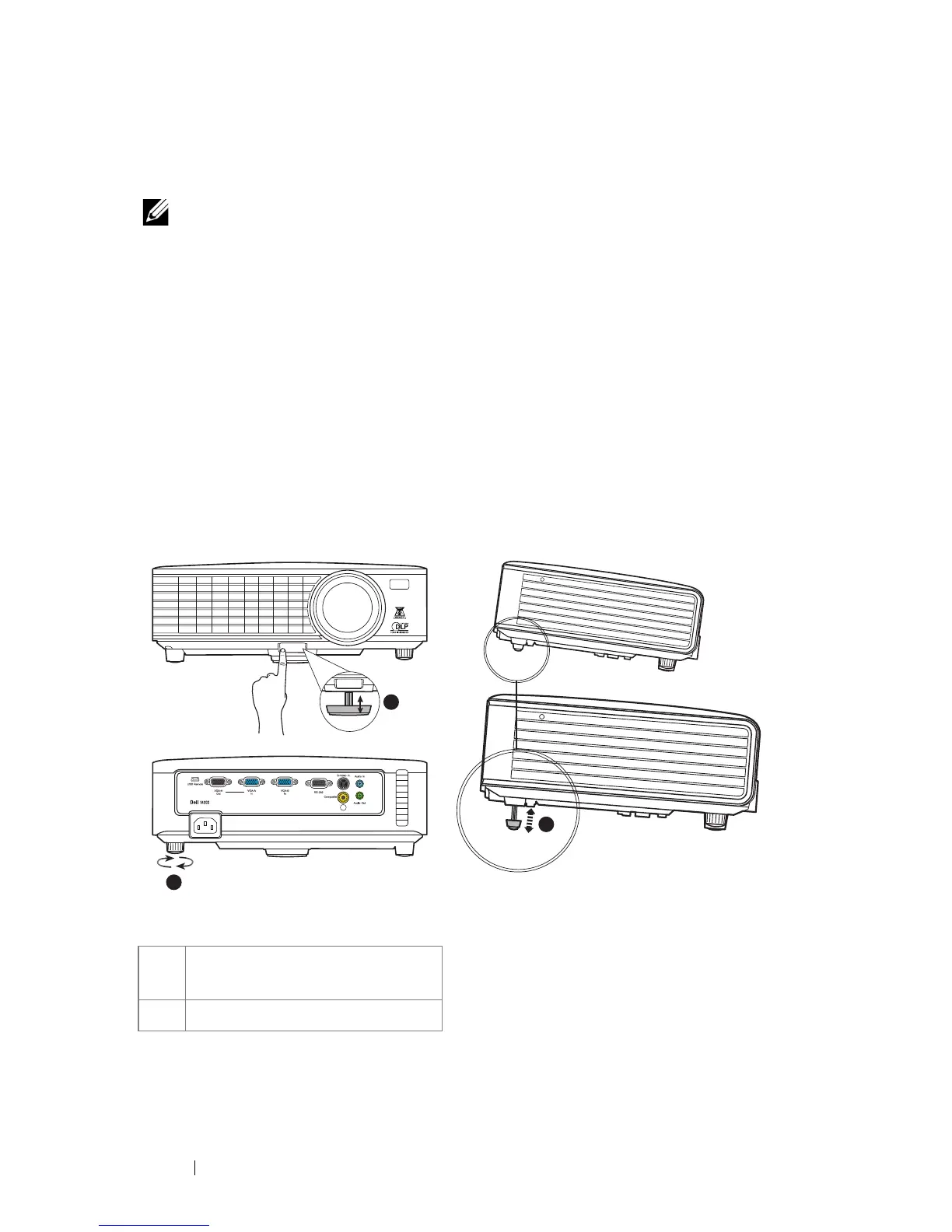
Raising the Projector Height
1
Raise the projector to the desired display angle and press the quick-release button.
2
Use the tilt adjustment wheel to fine-tune the display angle.
Lowering the Projector Height
1
Hold up the projector while pressing the quick-release button, then slowly lower
the projector and use the tilt adjustment wheel to fine-tune the display angle.
1 Front adjuster foot
(Angle of tilt: 0 to 6 degrees)
2 Tilt adjustment wheel
1
2
PUSH
1



 To Next Page