Using the System Setup Program 4-45
Selecting C: Only causes the system to boot only from the
hard-disk drive, even if there is a bootable diskette in drive A.
You might select the C: Only option to prevent an unautho-
rized person from accessing the system by booting from a
diskette.
Boot Options Submenu Categories
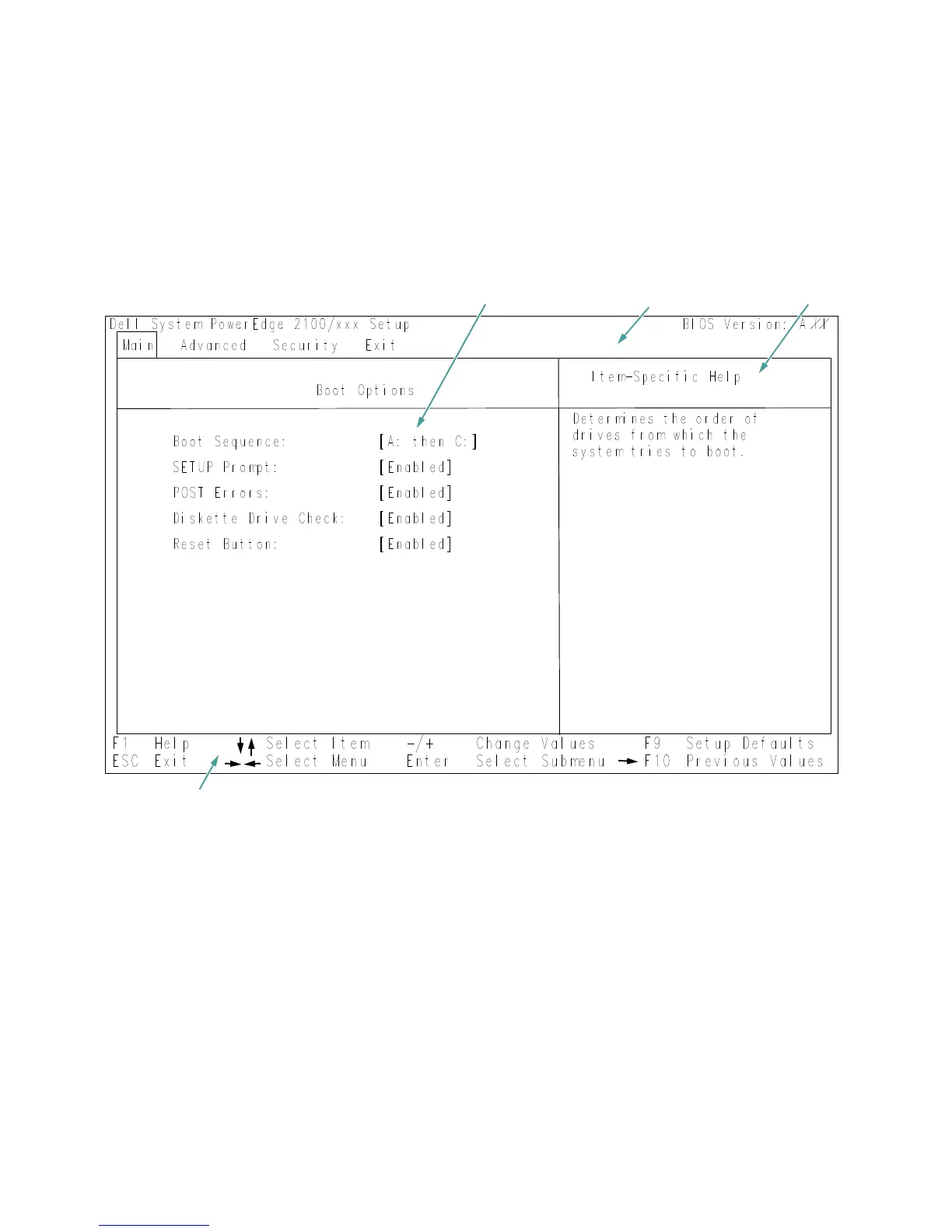
To access the Boot Options submenu (see Figure 4-2),
highlight the Boot Sequence category in the Main menu
and press <Enter>.
Figure 4-2. Boot Options Submenu
configuration options and system data
title box
help
key functions


 To Next Page