Using the System Setup Program 4-51
Virus Check Reminder
This category lets you display a message during start-up
at selected intervals to remind you to check your system
for viruses. The options are as follows:
• Disabled (default)
• Daily
• Weekly
• Monthly
Exit Menu Categories
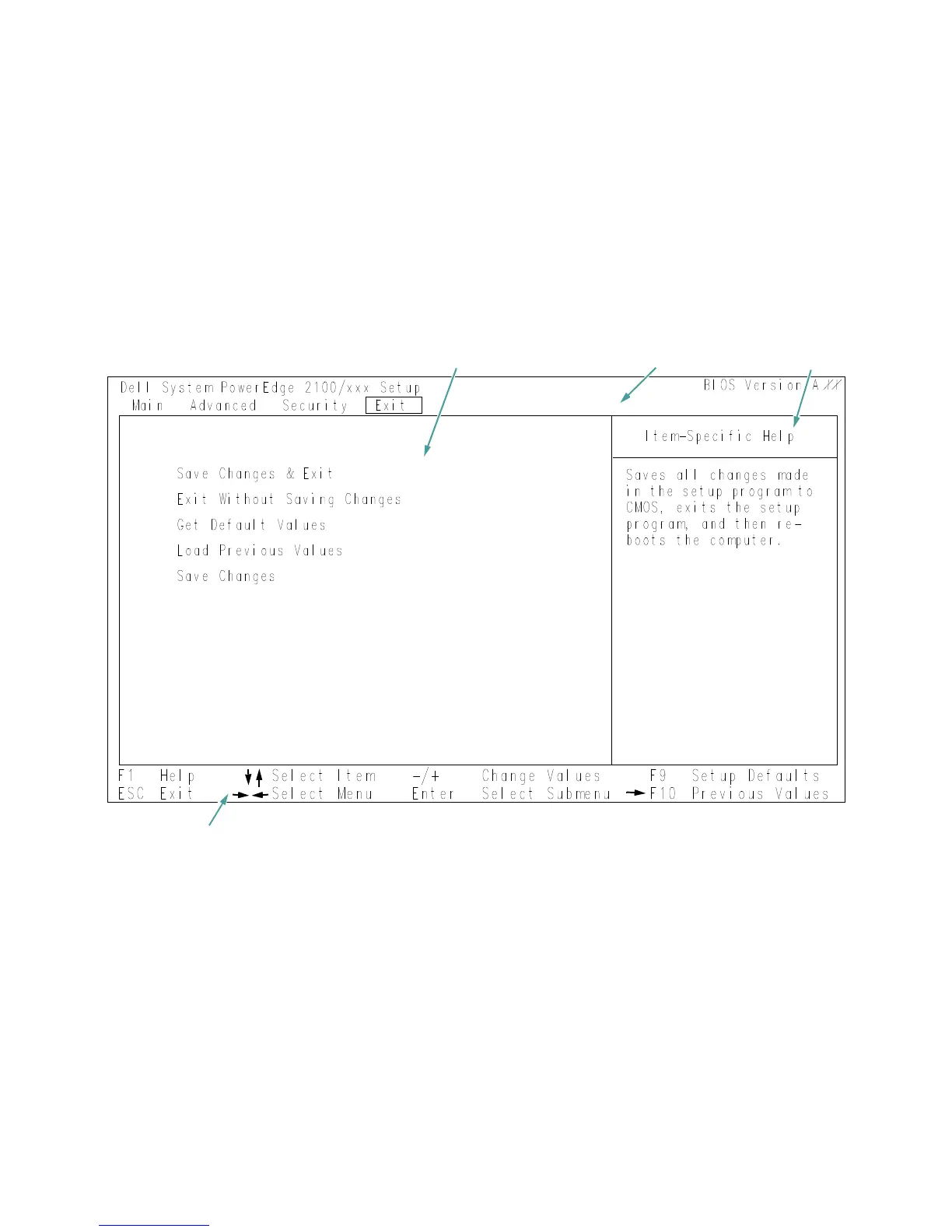
To access the Exit menu (see Figure 4-5), use the arrow
keys to highlight Exit. The following section explains in
detail each of the System Setup categories in the Exit
Figure 4-5. Exit Menu of the System Setup Program
configuration options and system data title box
help
key functions


 To Next Page