Using the System Setup Program 4-49
Security Menu Categories
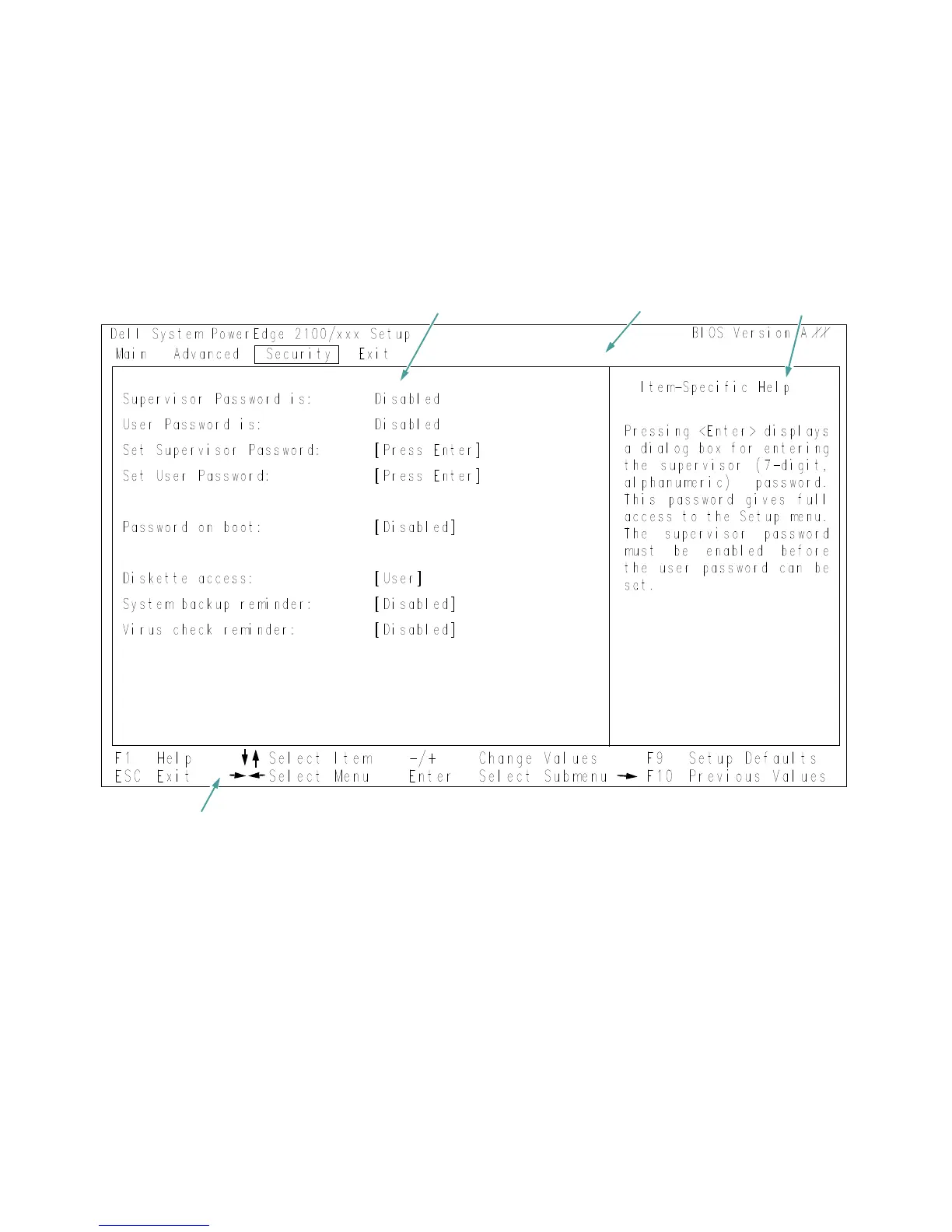
To access the Security menu (see Figure 4-4), use the
arrow keys to highlight Security. This section explains in
detail each of the System Setup categories in the Security
menu.
Figure 4-4. Security Menu of the System Setup Program
configuration options and system data
title box
help
key functions


 To Next Page