Back to Contents Page
Using Your Adjustable Monitor Stand
Dell™3007WFPFlatPanelMonitor
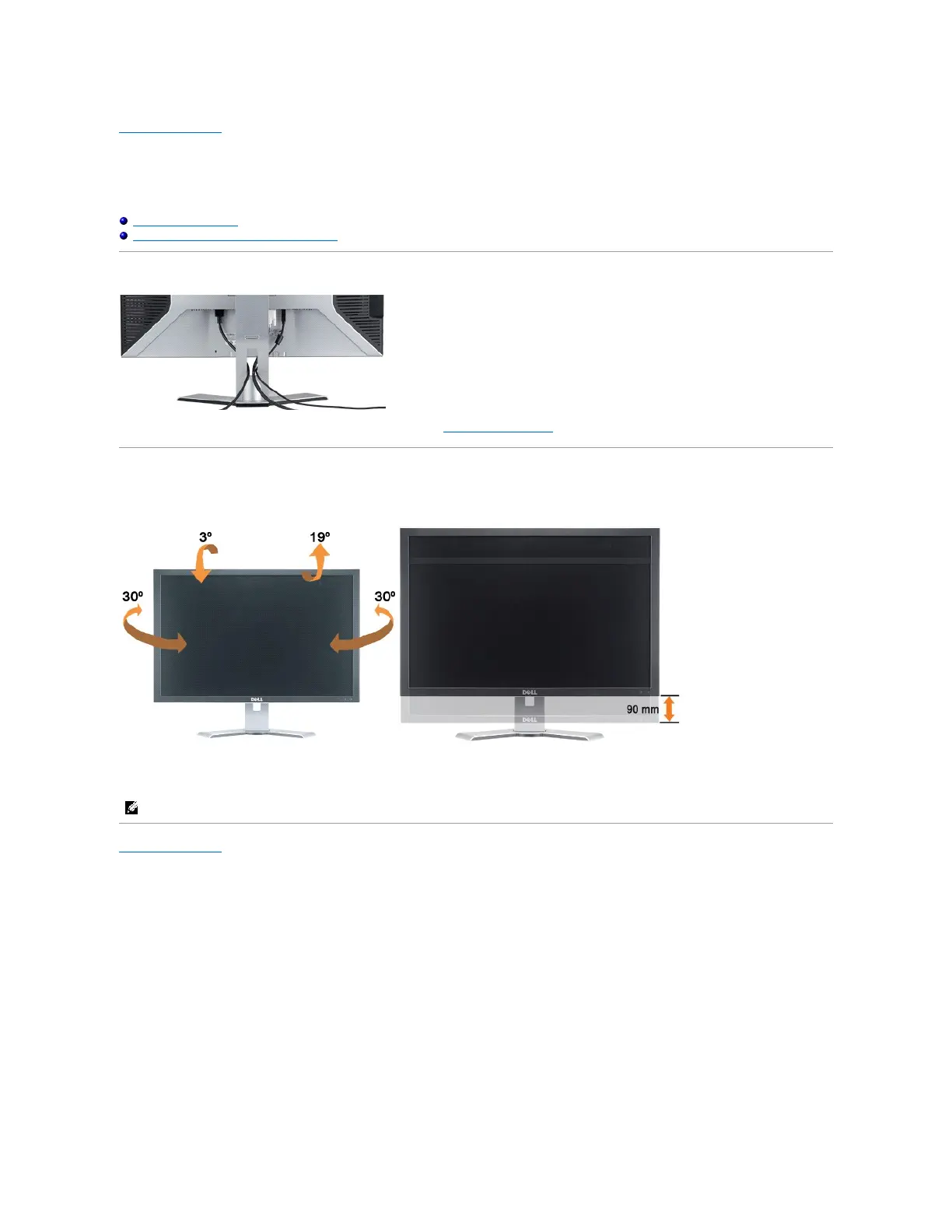
Organizing Your Cables
UsingtheTilt,Swivel,andHeightAdjustment
Organizing Your Cables
After attaching all necessary cables to your monitor and computer, (See Connecting Your Monitor for cable attachment,) use the cable holder to neatly
organize all cables as shown above.
Using the Tilt, Swivel, and Height Adjustment
Adjusting Your Monitor Using Tilt, Swivel, and Height adjustment. You can adjust your monitor to best fit your viewing needs.
You can adjust the stand vertically, up to 3.54 inches (90mm) using the stand lock/release button. Press the stand lock/release button on the back of the
monitor and then lift or lower the stand to the desired position.
Back to Contents Page


 To Previous Page
 Loading...