Dell Soundbar (Optional) Specifications
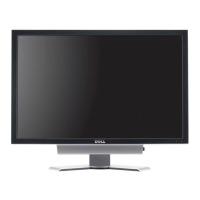
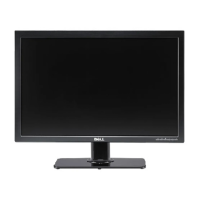
Caring for Your Monitor
l To clean your antistatic screen, lightly dampen a soft, clean cloth with water. If possible, use a special screen-cleaning tissue or solution suitable for the
antistatic coating. Do not use benzene, thinner, ammonia, abrasive cleaners, or compressed air.
l Use a lightly-dampened,warmclothtocleantheplastics.Avoidusingdetergentofanykindassomedetergentsleaveamilkyfilmontheplastics.
l If you notice a white powder when you unpack your monitor, wipe it off with a cloth. This white powder occurs during the shipping of the monitor.
l Handleyourmonitorwithcareasdarker-colored plastics may scratch and show white scuff marks more than lighter-coloredmonitor.
Back to Contents Page
Storage: -20°to60°C(-4°to140°F)
Shipping: -20°to60°C(-4°to140°F)
10% to 80% (noncondensing)
Storage: 5% to 90% (noncondensing)
Shipping: 5% to 90%(noncondensing)
604.35 BTU/hour (maximum)
501.92 BTU/hour (typical)
System Frequency Response
95 Hz to 20 kHz @ 10 dB below avg. SPL
10 W continuous average power (all speakers operating) @ 10% (THD+N), 1 kHz (FTC rated)
Headphone Jack
Output Power
40 mW continuous average power (RL = 32Ω) @ 10% (THD+N), 1 kHz
Input Sensitivity for
Rated Output
Maximum Input Signal
Voltage
Power On/Off Volume Control
3.0 m ± 0.1 m AWG26 black cable attached to enclosure, with 3.5 mm lime green stereo plug
Operating Temperature
Range
CAUTION: Read and follow the safety instructionsbeforecleaningthemonitor.
CAUTION:Beforecleaningthemonitor,unplugthemonitorfromtheelectricaloutlet.








 To Next Page