EasyManua.ls Logo

Dell 3007WFP - Monitor Specifications: Power and DVI; Power Management Modes; DVI-D Pin Assignments

Dell 3007WFP
23 pages
Print Icon
To Next Page IconTo Next Page
To Previous Page IconTo Previous Page
Loading...
Monitor Specifications
Power Management Modes
IfyouhaveVESA'sDPM™compliancedisplaycardorsoftwareinstalledinyourPC,themonitorcanautomaticallyreduceitspowerconsumptionwhennotin
use. This is referred to as 'Power Save Mode'*. If input from keyboard, mouse, or other input devices is detected by the computer, the monitor will
automatically "wake up". The following table shows the power consumption and signaling of this automatic power saving feature:
* Zero power consumption in OFF mode can only be achieved by disconnecting the main cable from the monitor.
ENERGY STAR®is a U.S. registered mark. As an ENERGY STAR®Partner, DELL has determined that this product meets the ENERGY STAR®guidelines for
energy efficiency.
Pin Assignments
24 pin digital-only DVI-D connector:

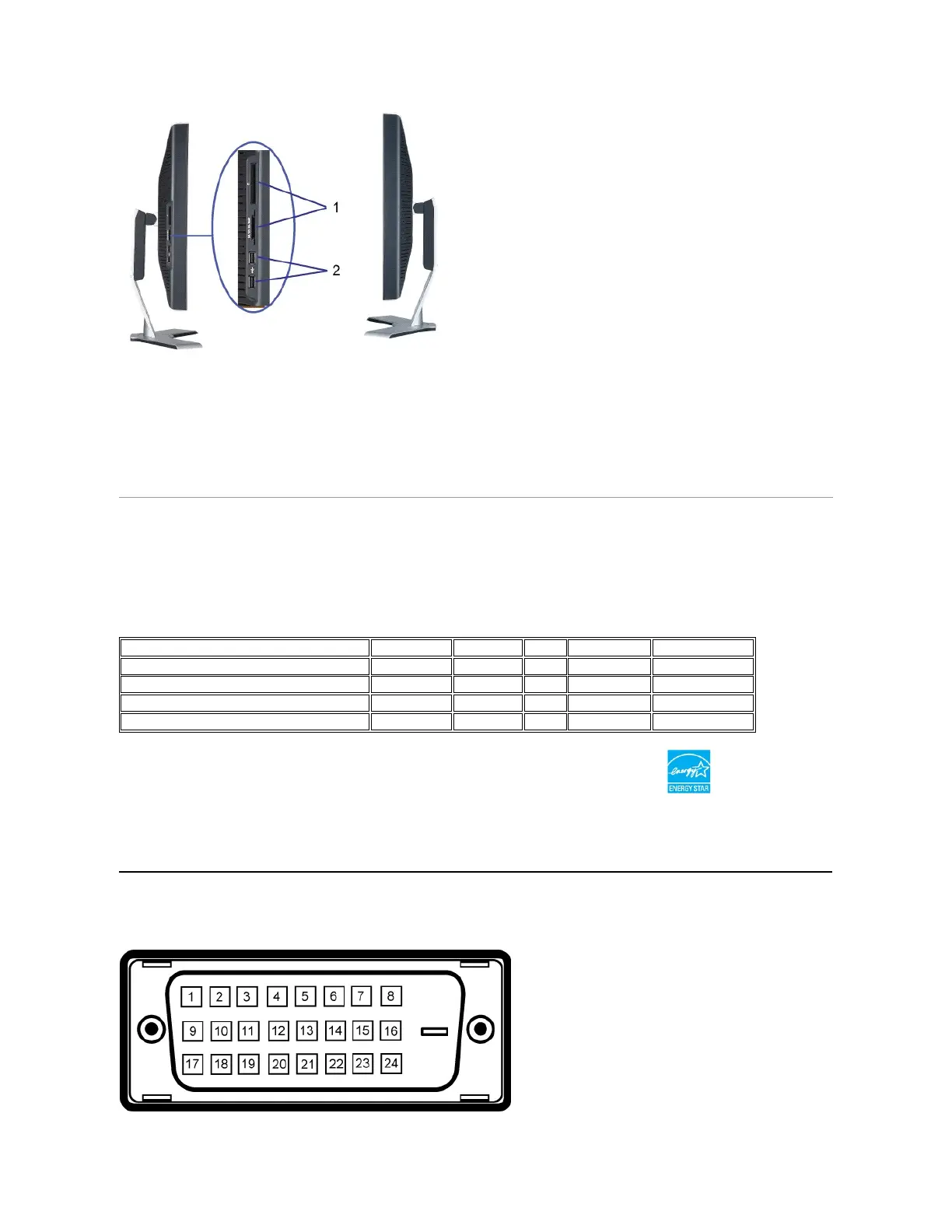
Left side
1.
Card reader supports the following card types:
-
Compact Flash (CF)
-
Security Digital (SD)
-
Memory Stick (MS)
-
Smart Media (SM)
-
Multimedia Card (MMC)
2.
USB downstream port
VESA Modes
Horizontal Sync
Vertical Sync
Video
Power Indicator
Power Consumption
Normal operation( with Dell Soundbar and USB active)
Active
Active
Active
Blue
177 W (maximum)
Normal operation
Active
Active
Active
Blue
147 W (typical)
Active-off mode
Inactive
Inactive
Blanked
Amber
Less than 3 W
Switch off
-
-
-
Off
Less than 1 W
This monitor is ENERGY STAR®-compliant as well as TCO '99 power management compatible.

Related product manuals