Using Your Projector 15
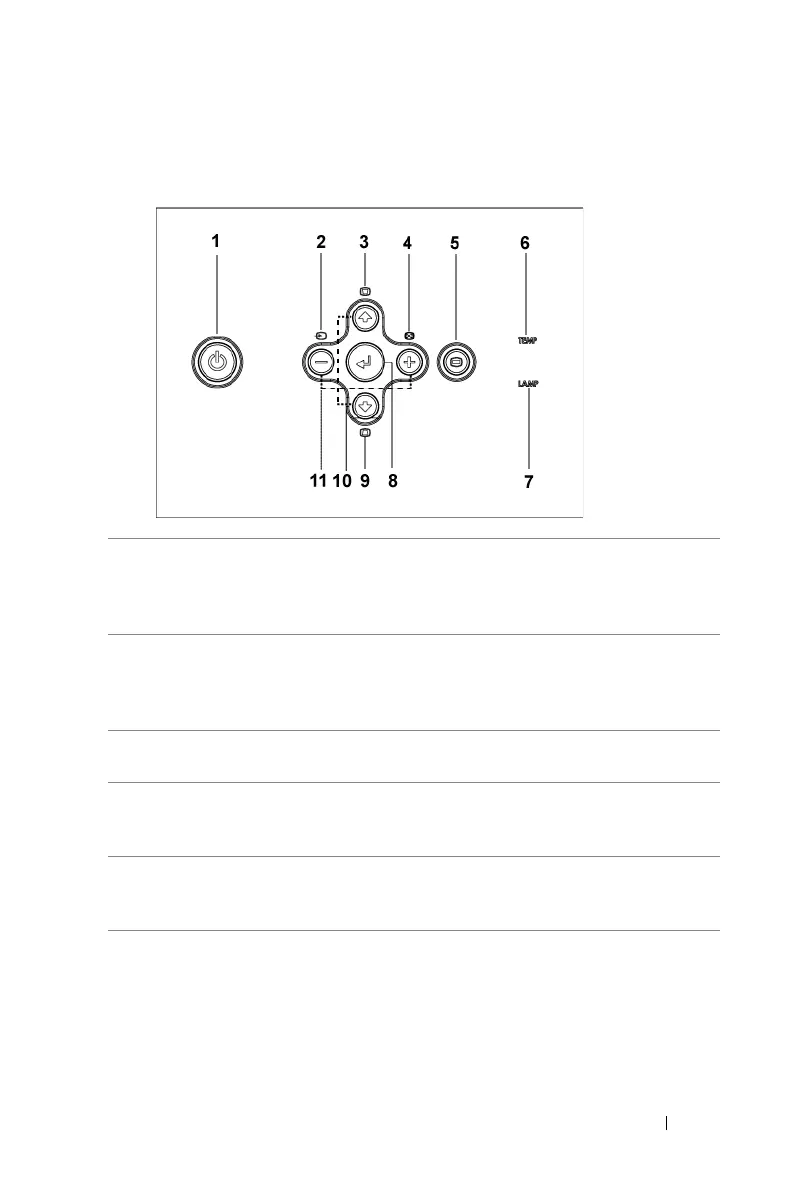
Using the Control Panel
1 Power Turn the projector on and off. For more
information, see "Turning Your Projector On" on
page 11 and "Turning Your Projector Off" on
page 11.
2 Source Press to toggle through Analog RGB, Composite,
Component-i, S-video, and Analog YPbPr sources
when multiple sources are connected to the
projector.
3 Keystone adjustment Press to adjust image distortion caused by tilting
the projector. (±16 degrees)
4 Resync Press to synchronize the projector to the input
source. Resync does not operate if the on-screen
display (OSD) is displayed.
5 Menu Press to activate the OSD. Use the directional
keys and Menu button to navigate through the
OSD.



 To Next Page