www.dell.com | support.dell.com
16 Using Your Projector
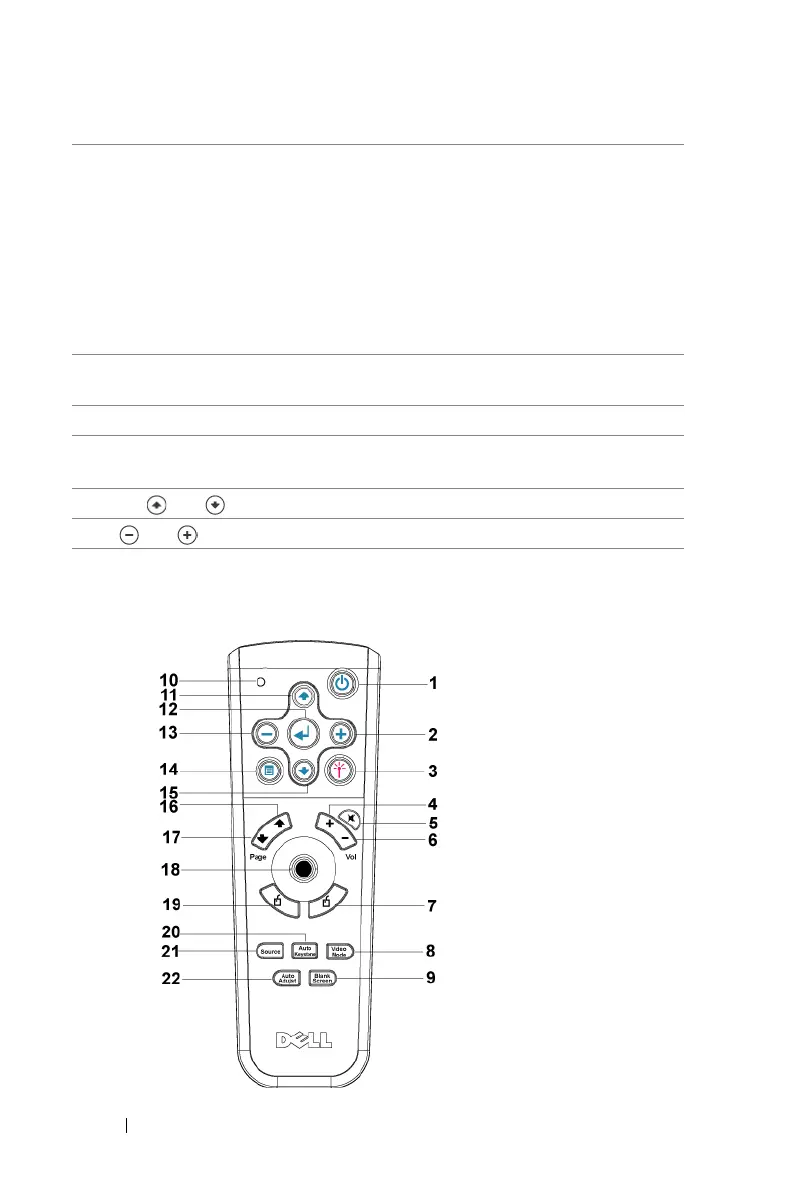
Using the Remote Control
6 TEMP warning light
• If the TEMP light is solid orange, the projector
has overheated. The display automatically shuts
down. Turn the display on again after the
projector cools down. If the problem persists,
contact Dell.
• If the TEMP light is blinking orange, a projector
fan has failed and the projector automatically
shuts down. If the problem persists, contact
Dell.
7 LAMP warning light If the LAMP light is solid orange, replace the
lamp.
8 Enter Press to confirm the selection item.
9 Keystone adjustment Press to adjust image distortion caused by tilting
the projector. (±16 degrees)
10 Up and Down Press to select the OSD items.
11 and buttons Press to adjust the OSD setting.


 To Next Page