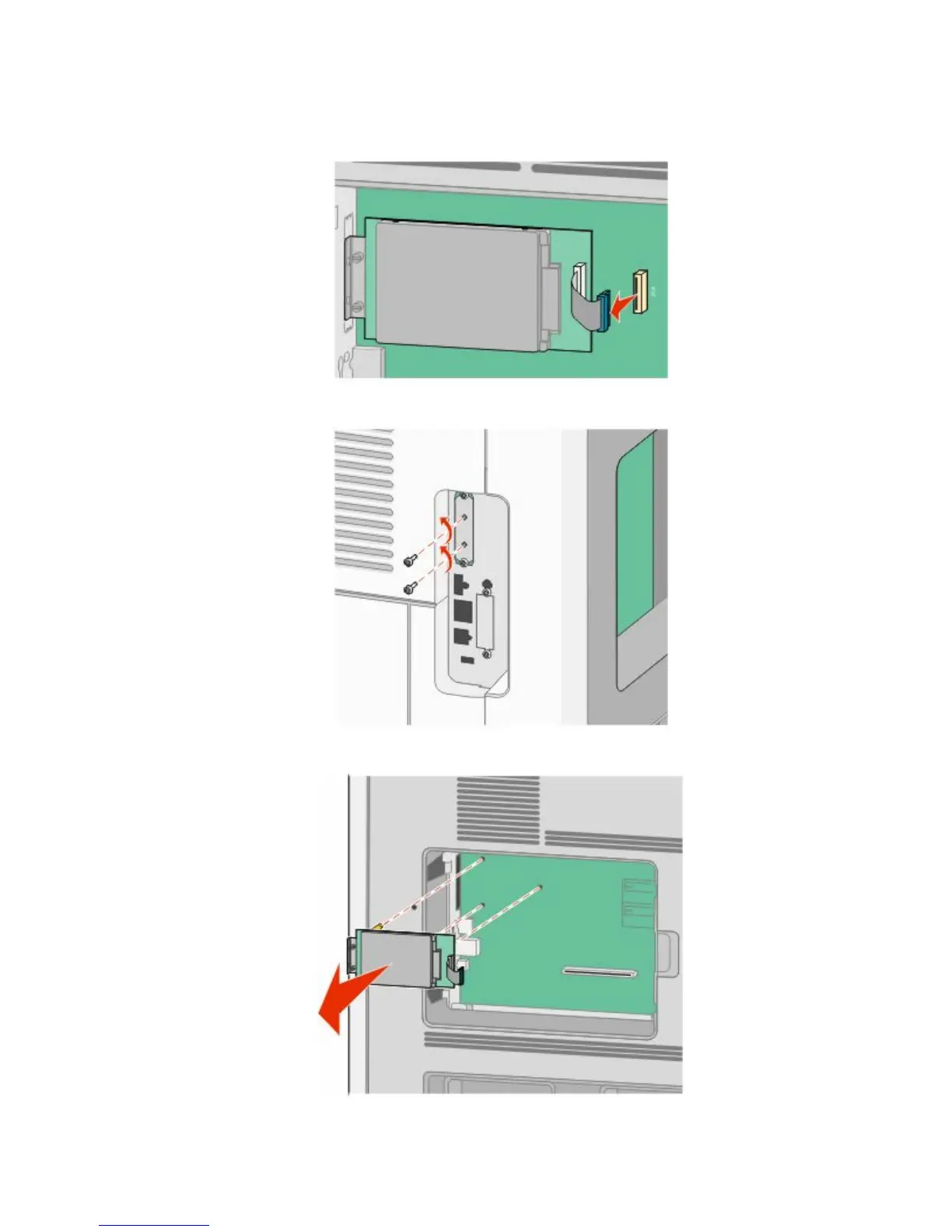
a Unplug the printer hard disk interface cable from the system board, leaving the cable attached to the printer
hard disk. To unplug the cable, squeeze the paddle at the plug of the interface cable to disengage the latch
before pulling the cable out.
b Remove the screws holding the printer hard disk in place.
c Remove the printer hard disk by pulling it upward to unseat the standoffs.
Additional printer setup
23











 To Next Page