EasyManua.ls Logo

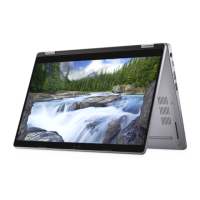
Dell Latitude 5330 2in1 - User Manual

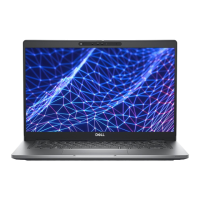
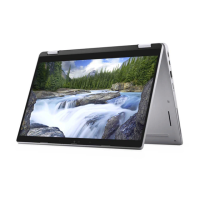
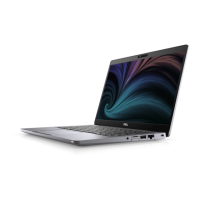
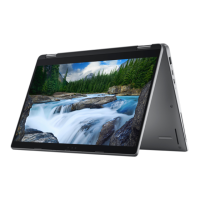
Dell Latitude 5330 2in1
139 pages
Print Icon
To Next Page IconTo Next Page
Loading...
Latitude 5330/Latitude 5330 2in1
Service Manual
Regulatory Model: P138G/P139G
Regulatory Type: P138G002/P139G002
April 2023
Rev. A03

Table of Contents

Questions and Answers

  • K
    Kimberly RichardsonJul 28, 2025
    What to do if my Dell Latitude 5330 2in1 Laptop battery is swollen?
    • M
      Mindy RosarioJul 28, 2025
      If you notice that your Dell Laptop battery is swollen, immediately stop using the laptop. Disconnect the AC adapter and allow the battery to fully discharge. Swollen batteries are a safety hazard and should not be used. Replace the swollen battery and dispose of it properly. Contact Dell product support to explore options for replacing the swollen battery.
  • A
    Arthur MillerAug 1, 2025
    What to do if my Dell Laptop is not detecting memory/RAM?
    • S
      Seth JacksonAug 2, 2025
      If your Dell Laptop isn't detecting memory, first, make sure the memory module is properly installed. If the problem continues after confirming the installation, you should replace the memory module.
  • W
    walshdavidAug 5, 2025
    How to fix system board failure on Dell Latitude 5330 2in1 Laptop?
    • S
      Shirley WrightAug 5, 2025
      To address a system board failure on your Dell Laptop, including issues like BIOS corruption or ROM errors, start by flashing the latest BIOS version. If the problem persists after updating the BIOS, the system board should be replaced.
  • C
    Connie MartinezAug 9, 2025
    What to do if BIOS Recovery image is not found on Dell Latitude 5330 2in1?
    • A
      Amanda JacksonAug 9, 2025
      If your Dell Laptop displays an error indicating that the BIOS Recovery image is not found, flash the latest BIOS version. If the issue continues after updating the BIOS, the system board likely needs to be replaced.
  • J
    Jonathon RiggsAug 14, 2025
    What to do for PCI or Video card/chip failure on Dell Latitude 5330 2in1?
    • L
      lawsontravisAug 14, 2025
      If your Dell Laptop is experiencing a PCI or video card/chip failure, the recommended solution is to replace the system board.
  • A
    Austin MillerAug 19, 2025
    How to resolve LCD failure (SBIOS message) on Dell Latitude 5330 2in1 Laptop?
    • S
      sjohnsonAug 19, 2025
      To resolve an LCD failure indicated by an SBIOS message on your Dell Laptop, replace the LCD module.
  • M
    Matthew LawrenceAug 22, 2025
    What to do for Power rail failure on Dell Latitude 5330 2in1?
    • D
      David GravesAug 22, 2025
      If your Dell Laptop is experiencing a power rail failure, the solution is to replace the system board.

Summary

Working Inside Your Computer

Electrostatic Discharge (ESD) Protection

Information on preventing damage to sensitive electronic components from static electricity.

Removing and Installing Components

Battery

Guidelines for handling Lithium-ion batteries and procedures for removing/installing 3-cell and 4-cell batteries.

M.2 Solid-State Drive

Procedures for removing and installing M.2 2280 and M.2 2230 solid-state drives.

System Board

Detailed steps for removing and installing the main system board.

Keyboard Assembly

Instructions for removing and installing the keyboard assembly.

Display Assembly (Laptop)

Procedures for removing and installing the display assembly for the laptop configuration.

Display Panel

Steps for removing and installing the display panel itself.

Palm-Rest Assembly

Instructions for removing and installing the palm-rest assembly.

Troubleshooting

Handling Swollen Lithium-ion Batteries

Safety procedures and recommendations for handling swollen Lithium-ion batteries.

Dell Latitude 5330 2in1 Specifications

General IconGeneral
RAMUp to 64 GB DDR4 3200MHz
StorageUp to 1 TB PCIe NVMe SSD
Operating SystemWindows 11 Home, Windows 11 Pro, Windows 11 SE, Ubuntu 20.04 LTS
Display13.3-inch FHD (1920 x 1080) Touch
GraphicsIntel Iris Xe Graphics
Ports2 x Thunderbolt 4, 1 x USB 3.2 Gen 1, 1 x HDMI 2.0
WirelessWi-Fi 6E (802.11ax), Bluetooth 5.2
Processor12th Gen Intel Core i5/i7
CPU12th Gen Intel Core i5/i7

Related product manuals