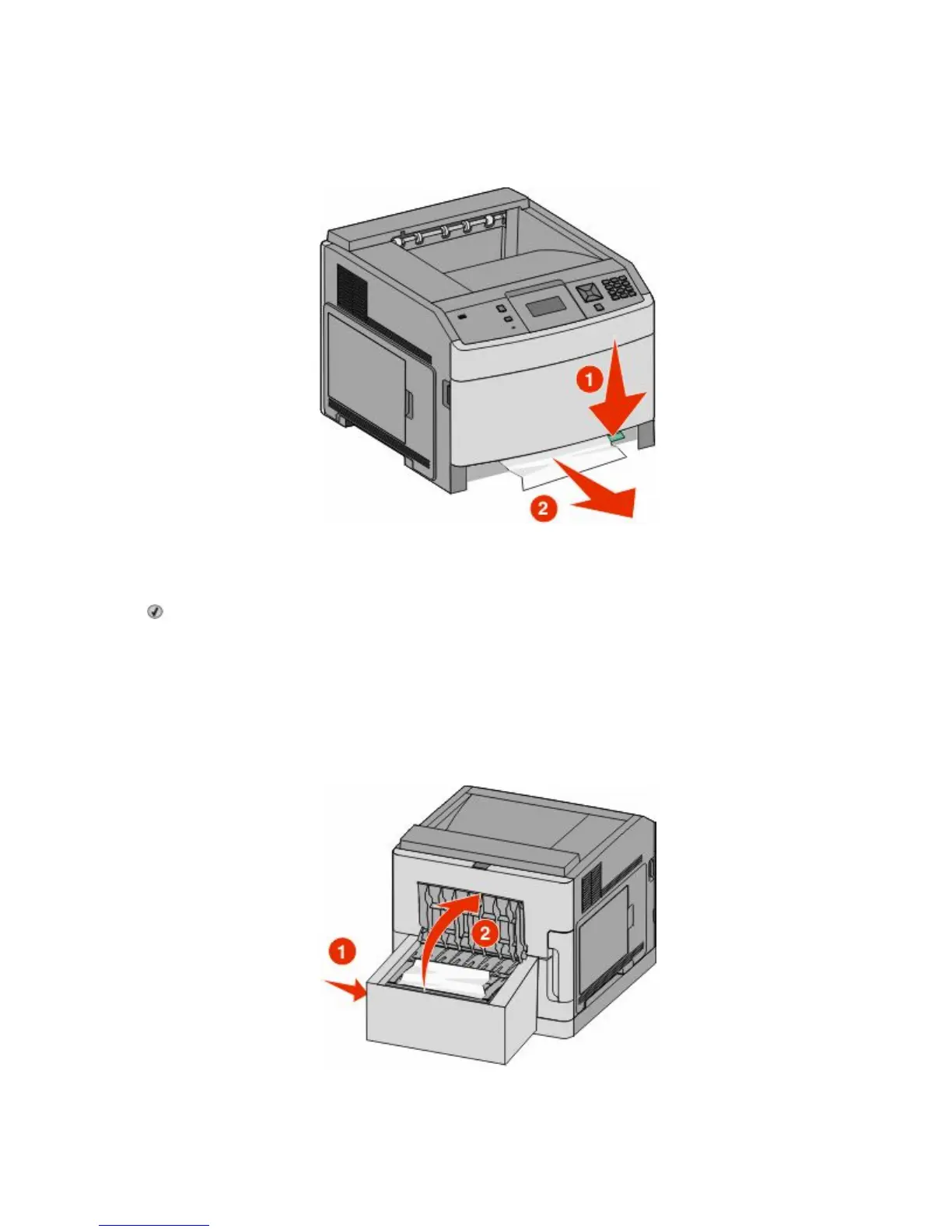
Front paper jams
1 Remove the standard tray from the printer.
2 Push the tab down.
3 Remove the jammed paper.
4 Insert the standard tray.
5 Press .
231–239 paper jams (optional external duplex unit)
Rear paper jams
1 Push in and hold the latch while pulling up the rear duplex door.
2 Remove the jammed paper.
Clearing jams
84












 To Next Page