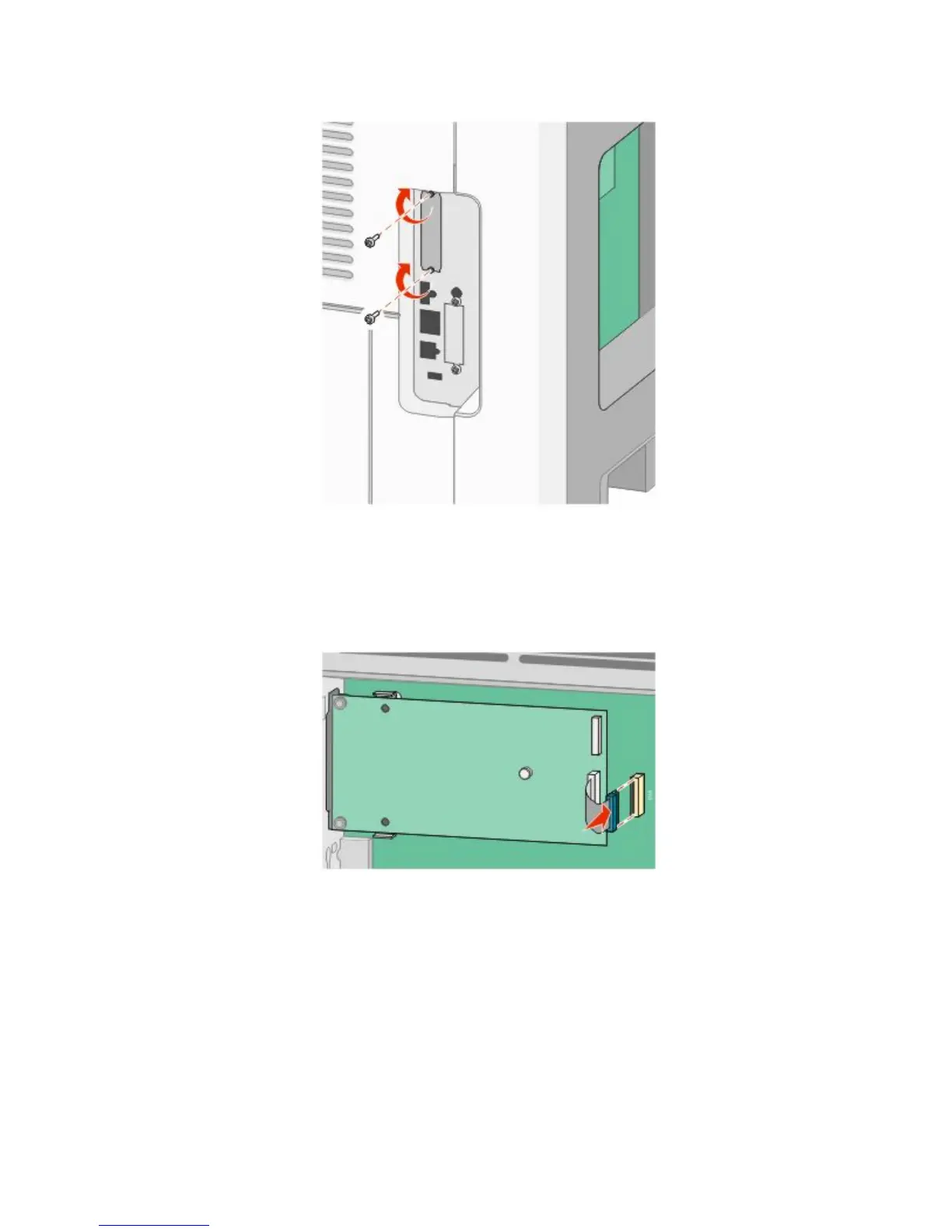
9 Attach the two provided screws to secure the ISP mounting bracket to the system board cage.
10 Tighten the long thumbscrew.
Note: Do not overtighten the thumbscrew.
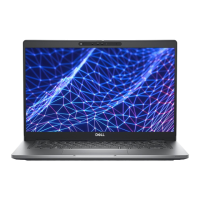
11 Insert the plug of the ISP interface cable into the receptacle of the system board.
Note: The plugs and receptacles are color coded.
12 If a printer hard disk was previously installed, then attach the printer hard disk to the ISP. For more information,
see “Installing a printer hard disk” on page 28.
Additional printer setup
27











 To Next Page