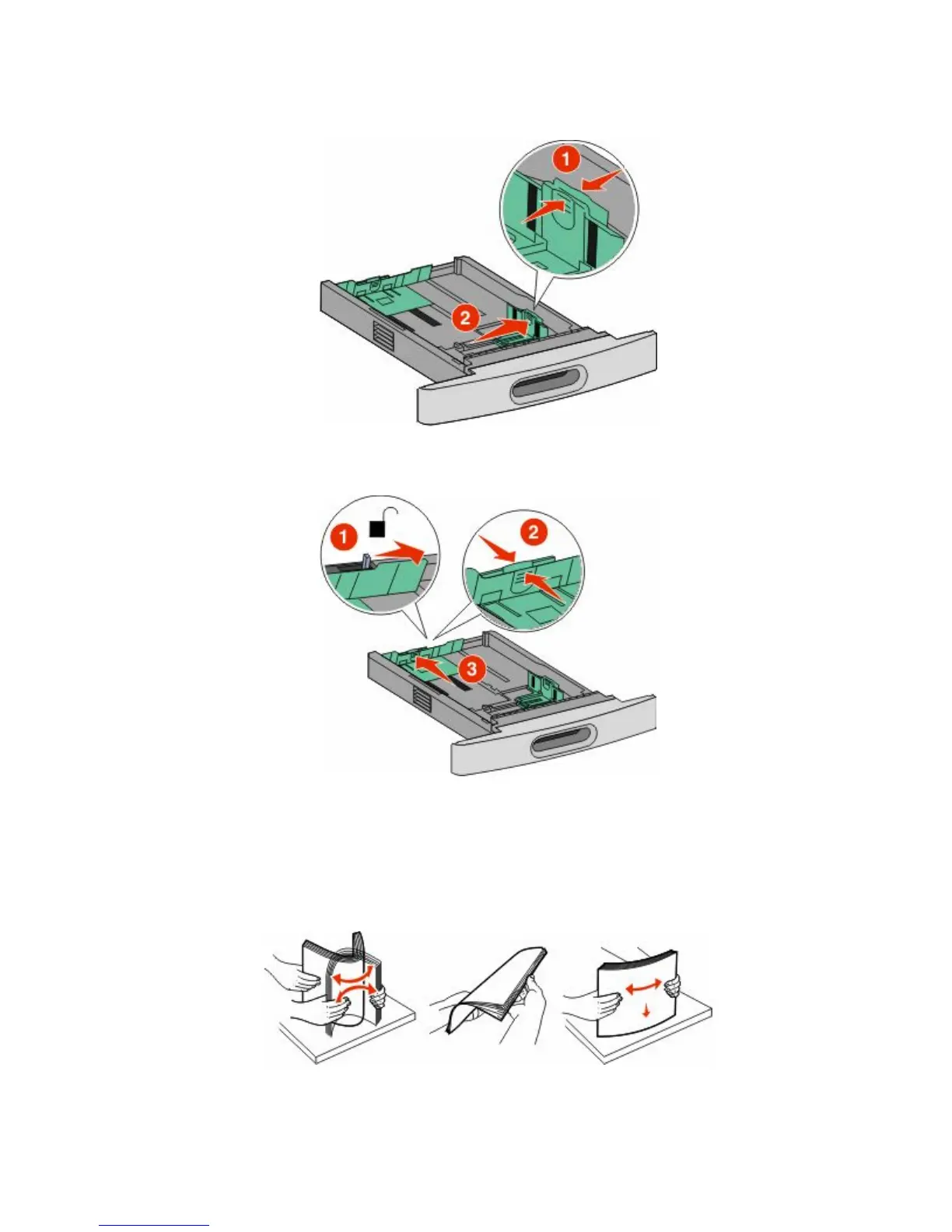
2 Squeeze the width guide tab inward as shown, and move the width guide to the correct position for the paper
size being loaded.
3 Unlock the length guide, squeeze the length guide tab inward as shown, and slide the guide to the correct position
for the paper size being loaded.
Notes:
• Use the size indicators on the bottom of the tray to help position the guides.
• For standard paper sizes, lock the length guide.
4 Flex the sheets back and forth to loosen them, and then fan them. Do not fold or crease the paper. Straighten the
edges on a level surface.
Loading paper and specialty media
51













 To Next Page