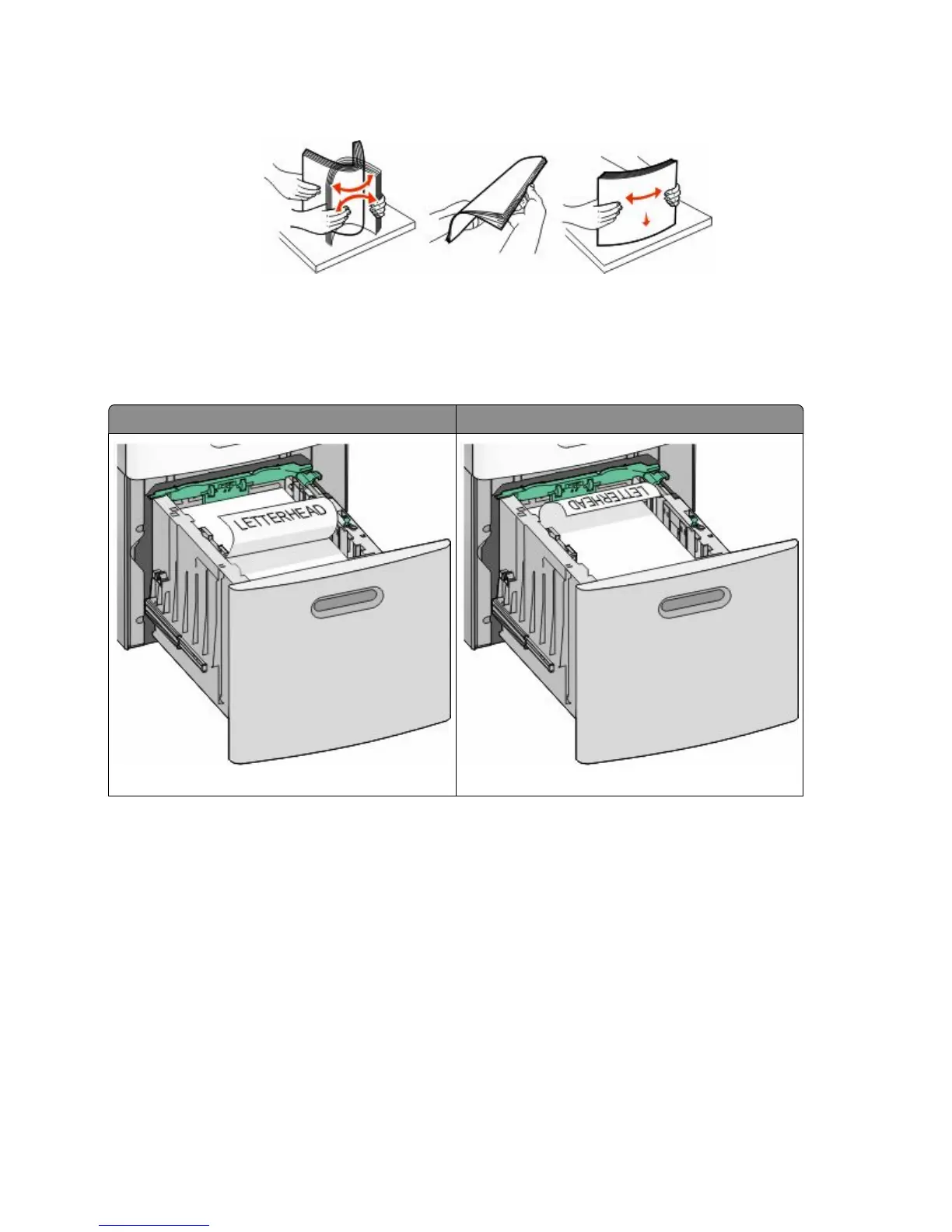
5 Flex the sheets back and forth to loosen them, and then fan them. Do not fold or crease the paper. Straighten the
edges on a level surface.
6 Load the paper stack:
• Print side facedown for single-sided printing
• Print side faceup for duplex printing
Note: Paper must be loaded differently in the trays if an optional StapleSmart II Finisher is installed.
Without an optional StapleSmart II Finisher With an optional StapleSmart II Finisher
Single-sided printing Single-sided printing
Loading paper and specialty media
55











 To Next Page