1.
Right-Click on My Computer
2.
Select Properties
3.
On the left side of the menu, locate and select “Advanced system settings”
4.
Under the “Advanced” tab depress the “Settings...” button for performance.
5.
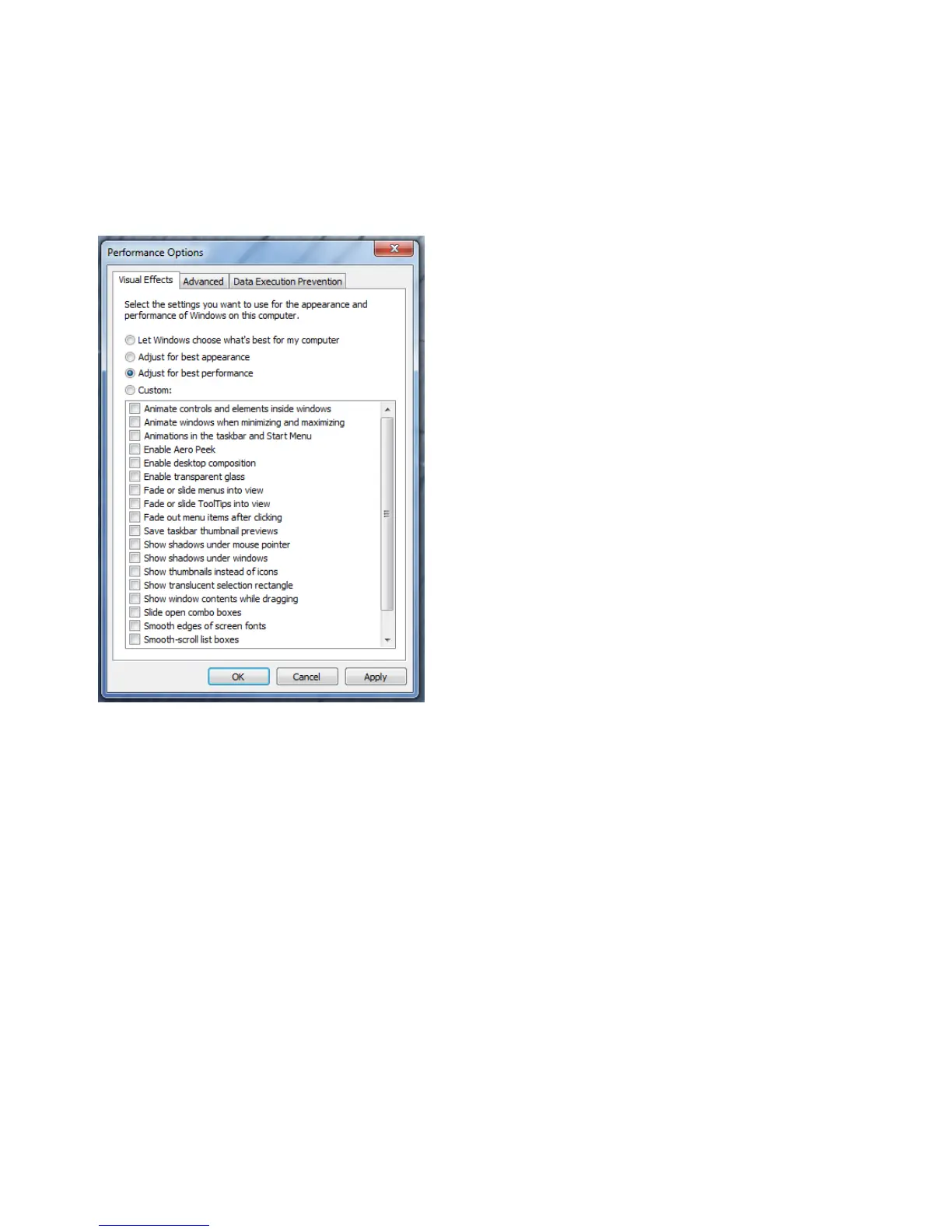
The “performance Options” window will be displayed.
6.
Under the “Visual Effects” tab select the “Adjust for best performance” selection. (Picture below).
7.
Depress the “Apply” button
8.
Required Windows visual performance settings for Avid environments are now complete.





 To Next Page