EasyManua.ls Logo

Dell Precision 5820 Tower D02T - User Manual

Dell Precision 5820 Tower D02T
115 pages
Print Icon
To Next Page IconTo Next Page
Loading...
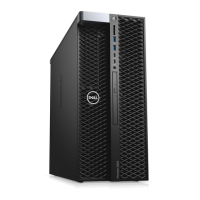
Dell Precision 5820 Tower
Owner's Manual
Regulatory Model: D02T
Regulatory Type: D02T002

Table of Contents

Questions and Answers

  • C
    clarkmaryAug 13, 2025
    What to do if my Dell Precision 5820 Tower D02T Desktop has Memory/RAM failure?
    • J
      John BakerAug 13, 2025
      If you can assist to troubleshoot, narrow down the issue by removing the memory module one by one to determine which one failed and swapping to a known good memory if available to confirm.
  • A
    Anthony LaneAug 16, 2025
    What to do if the Dell Precision 5820 Tower D02T Desktop system side cover is missing?
    • J
      Jerry GainesAug 17, 2025
      If the system side cover is missing, unplug the power, install all side covers back onto the chassis, and then plug in the power.
  • C
    Clifford Robles DVMAug 20, 2025
    What to do if RAID volume is degraded on Dell Precision 5820 Tower D02T Desktop?
    • M
      Mary RodriguezAug 20, 2025
      If you can assist to troubleshoot, use the F12 menu to enter the Device Configuration tab and attempt to rebuild the RAID volume.
  • S
    sarahjacksonAug 25, 2025
    What to do if my Dell Precision 5820 Tower D02T says 'Invalid memory installed'?
    • P
      Peter SmithAug 25, 2025
      This indicates that memory modules have been detected but appear to be incompatible or in an invalid configuration, or memory subsystem configuration activity is in progress. If you can assist with troubleshooting, try removing the memory modules one by one to determine which one may have failed.
  • A
    Austin HoffmanAug 28, 2025
    What to do if my Dell Precision 5820 Tower D02T Desktop has a Motherboard BIOS ROM failure?
    • I
      icolonAug 28, 2025
      The system is in Recovery Mode. Flash the latest BIOS version.
  • R
    Robert SuttonSep 1, 2025
    What to do if my Dell Precision 5820 Tower D02T Desktop has a PCI Device or Video problem?
    • E
      Elizabeth ThomasSep 1, 2025
      PCI device configuration activity is in progress or a PCI device failure was detected. If you can assist to troubleshoot, narrow down the issue by reseating the PCI card and removing the cards one by one to determine which card failed.
  • D
    Danny MccoySep 4, 2025
    What does BIOS Recovery 2 mean on a Dell Precision 5820 Tower D02T Desktop?
    • K
      kathleenhillSep 4, 2025
      The system is in Recovery Mode. Flash the latest BIOS version.
  • G
    gonzalezmelissaSep 8, 2025
    What does BIOS Recovery 1 mean on a Dell Precision 5820 Tower D02T Desktop?
    • K
      Kenneth BallSep 8, 2025
      The system is in Recovery Mode.

Dell Precision 5820 Tower D02T Specifications

General IconGeneral
Form FactorTower
ChipsetIntel C422
ProcessorIntel Xeon W-2100 series, Intel Core X-series
RAMUp to 128GB DDR4
StorageUp to 4TB HDD, up to 2TB SSD
GraphicsNVIDIA Quadro, AMD Radeon Pro
Operating SystemWindows 10 Pro, Linux
Ports Front2x USB 3.1 Gen 1, 1x USB 3.1 Gen 1 Type-C, 1x headphone/microphone combo jack
Ports Rear2 x USB 2.0, 1 x RJ-45
WeightStarting at 15.87 kg (35 lbs)

Related product manuals