Need help?
Do you have a question about the Dell A215 - PC Multimedia Speakers and is the answer not in the manual?
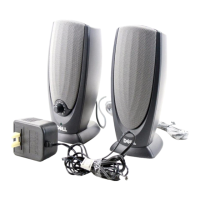
Connects the left speaker to the right speaker using the appropriate cable for audio output.
Connects the right speaker to the computer's sound card or integrated audio system.
Connects the right speaker to an electrical outlet to supply power for operation.
Instructions for turning on the speaker, checking the LED indicator, and using the volume knob.
Steps to verify outlet function, speaker light, connector insertion, and audio settings for proper operation.
 General
| Configuration | 2.0 |
|---|---|
| Connectivity | Wired |
| Speaker Type | Multimedia Speakers |
| Signal-to-Noise Ratio | 70 dB |
| Input Connector | 3.5mm |
| Controls | Volume control |
| Power Source | AC Power |
| Weight | 0.4 kg (0.88 lbs) |

 To Next Page