Need help?
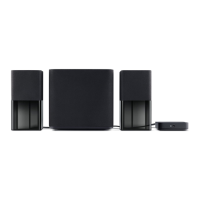
Do you have a question about the Dell A525 - 2.1-CH PC Multimedia Speaker Sys and is the answer not in the manual?
Plug another electrical device into the outlet to verify that the outlet is working.
Turn on speakers, verify the green light is on, and check connector insertion.
Verify volume settings via Control Panel, Sounds and Audio Devices.
 General
| Satellite Speakers Power Output | 7 Watts per channel |
|---|---|
| Subwoofer Power Output | 16 Watts |
| Signal-to-Noise Ratio | 75 dB |
| Input Impedance | 10 kOhms |
| Color | Black |
| Speaker Type | 2.1 Channel |
| Type | Multimedia Speaker System |
| Total Power Output | 30 Watts RMS |
| Controls | Volume |
| Connectors | 3.5mm input |

 To Next Page