EasyManua.ls Logo

Dell AC511 - User Manual

Dell AC511
21 pages
Print Icon
To Next Page IconTo Next Page
Loading...
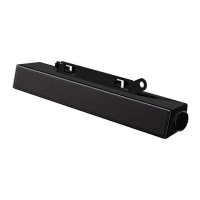
Dell Stereo Sound Bar AC511
Dell Stereo Sound Bar with bracket
AC511M
User’s Guide
Regulatory Model: AC511

Other manuals for Dell AC511

Questions and Answers

  • A
    Andrew ColemanAug 14, 2025
    Why is there no sound coming from my Dell AC511 Speakers?
    • M
      Michael RobinsonAug 15, 2025
      If you're not getting any sound from your Dell Speakers, here are a few things to check: * If using USB, make sure the music file is playing and the volume isn't muted. * For external devices (MP3 player, phone, etc.), ensure the aux-in cable is properly connected and the device's volume isn't muted. * If using USB, maximize all Windows volume controls. * Try playing audio content on your computer. * Turn the volume up on the Soundbar. * Clean and reconnect all cables. * Test the Soundbar with another music source. * Check sound settings in the computer's control panel. * Try different ports. * Reinstall the sound card drivers. * Restart the computer. * Test with known good speakers.
  • I
    ieatonAug 21, 2025
    How to increase the volume on my Dell Speakers?
    • D
      Dr. Lee Martin Jr.Aug 22, 2025
      If your Dell Soundbar volume is too low, try these solutions: * Ensure there are no obstructions between you and the Soundbar. * Turn the volume knob clockwise to increase the volume. * Maximize all Windows volume controls. * Increase the volume of the audio application you are using. * Test the Soundbar with another audio source, such as a portable CD player or MP3 player.
  • J
    Joy CruzAug 25, 2025
    Why is the sound distorted on my Dell AC511 Speakers?
    • A
      angela16Aug 25, 2025
      If you're experiencing distorted sound from your Dell Speakers, especially when using the computer's sound card, try these steps: * Ensure there are no obstructions between the Soundbar and you. * Make sure the audio line-in plug is fully inserted into the sound card jack. * Set all volume controls to their midpoints. * Reduce the volume of the audio application. * Turn the Soundbar volume knob counter-clockwise to lower the volume. * Clean and reseat all cables. * Troubleshoot the computer's sound card. * Test the Soundbar with another audio source (like a CD or MP3 player). * Make sure no loose objects are touching the Soundbar.
  • L
    Laura DavenportAug 28, 2025
    How to fix unbalanced sound output on Dell Speakers?
    • L
      Lee DiazAug 28, 2025
      If the sound output from your Dell Soundbar seems unbalanced, try these troubleshooting steps: * Make sure there are no obstructions between the Soundbar and you. * Confirm that the audio line-in plug is fully inserted into the jack of the Soundbar or audio source. * Set all Windows audio balance controls (L-R) to their midpoints. * Clean and reseat all cables. * Troubleshoot the computer's sound card. * Test the Soundbar with another audio source, such as a portable CD player or an MP3 player.
  • C
    Charles AyalaAug 31, 2025
    Why is there no sound from Dell AC511 using the aux-in function?
    • M
      Morgan JamesAug 31, 2025
      If you're not getting any sound from your Dell Speakers using the aux-in function, consider the following: * Is the aux-in cable plugged in correctly into both the Soundbar’s aux-in jack and the audio device’s aux-out jack? Try unplugging and plugging it back in. * Try a different aux-in cable that is known to be good. * Is the external audio device turned on and playing music? * Ensure that the volume on the audio device is not set to 0%. * Try using a different audio device that is known to be good.
  • J
    Jessica ByrdSep 3, 2025
    How to stop buzzing noise from Dell AC511?
    • E
      Erica ReedSep 4, 2025
      If you hear a buzzing noise from your Dell Soundbar, try the following: * Make sure the Soundbar is properly attached to the monitor and that no loose objects are touching it. * Reduce the volume to a low level. * Ensure the wires are not interfering with the Soundbar.
  • J
    joy52Sep 7, 2025
    Why Dell Speakers Soundbar cannot mount onto monitor?
    • L
      Lisa HubbardSep 7, 2025
      If your Dell Soundbar won't mount onto the monitor, check these things: * Make sure the T-Hook is present. * Ensure the T-Hook isn't damaged or broken. * Verify the Monitor/LCD Soundbar slot is open and not blocked by any Mylar covers.
  • M
    Michael TurnerSep 12, 2025
    What to do if there are missing items in my Dell AC511 box?
    • S
      Scott MichaelSep 12, 2025
      If you suspect items are missing from your Dell Speakers package: * Open the box and check for the USB extension. * Verify all items listed in the “Contents of the box” are present.
  • A
    Andres LopezNov 17, 2025
    What to do if Dell Speakers Soundbar is not functioning properly?
    • A
      ahawkinsNov 17, 2025
      If your Dell Soundbar isn't working right, start by checking the white LED light when you plug in the USB cable. If it doesn't light up, the USB extension might be faulty, so try replacing it or plugging the Soundbar directly into the USB power source. If the LED lights up but the Soundbar still doesn't work, try these steps: * Remove and replug the Soundbar, and check the LED again. * See if the Soundbar is in Device Manager. * Try a different USB port. If that works, the first port might be faulty. If not, continue troubleshooting. * Test with a known-good USB speaker or device, or connect the Soundbar to another system. If another USB device isn't working on the same port, the USB I/O may be defective. If the Soundbar doesn't work on another system, the Soundbar itself may be d...

Summary

Understanding Notes Cautions and Warnings

Whats Included in the Box

Dell Sound Bar Features

Setting Up the Dell Sound Bar

Installing Sound Bar Without Bracket

Instructions to attach the sound bar directly to the monitor base.

Installing Sound Bar With Bracket

Steps to attach the sound bar using the included monitor bracket.

Powering On the Sound Bar

Connecting the Sound Bar

Connecting via Audio-in Port

Connect external audio devices using the aux-in port.

Using the Headphone Jack

Adjusting Sound Bar Volume

Troubleshooting Common Issues

Sound Bar Not Functioning

Steps to resolve issues when the sound bar is not detected or synchronized.

Dell Sound Bar Specifications

Warranty and Statutory Information

Dell Limited Warranty Details

Information on Dell's limited hardware warranty and return policies.

Dell AC511 Specifications

General IconGeneral
Audio decoders-
RMS rated power2.5 W
Audio output channels- channels
Subwoofer includedNo
Cables includedUSB
Product colorBlack
Quantity1
Frequency range100 - 20000 Hz
USB cable length0.3 m
Apple docking compatibilityNot supported
Soundbar dimensions (WxDxH)39 x 406 x 49 mm
Speakers2
Connector(s)1x 3.5mm
Line-inYes
HDMI ports quantity0
USB 2.0 ports quantityUSB 2.0 ports have a data transmission speed of 480 Mbps, and are backwards compatible with USB 1.1 ports. You can connect all kinds of peripheral devices to them.
Connectivity technologyWired
Windows operating systems supportedWindows 7 Home Basic, Windows 7 Home Basic x64, Windows 7 Home Premium, Windows 7 Home Premium x64, Windows 7 Professional, Windows 7 Professional x64, Windows 7 Starter, Windows 7 Starter x64, Windows 7 Ultimate, Windows 7 Ultimate x64, Windows 8, Windows 8 Enterprise, Windows 8 Enterprise x64, Windows 8 Pro, Windows 8 Pro x64, Windows 8 x64
Weight and Dimensions IconWeight and Dimensions
Soundbar weight454 g

Related product manuals