10
Connecting your sound bar
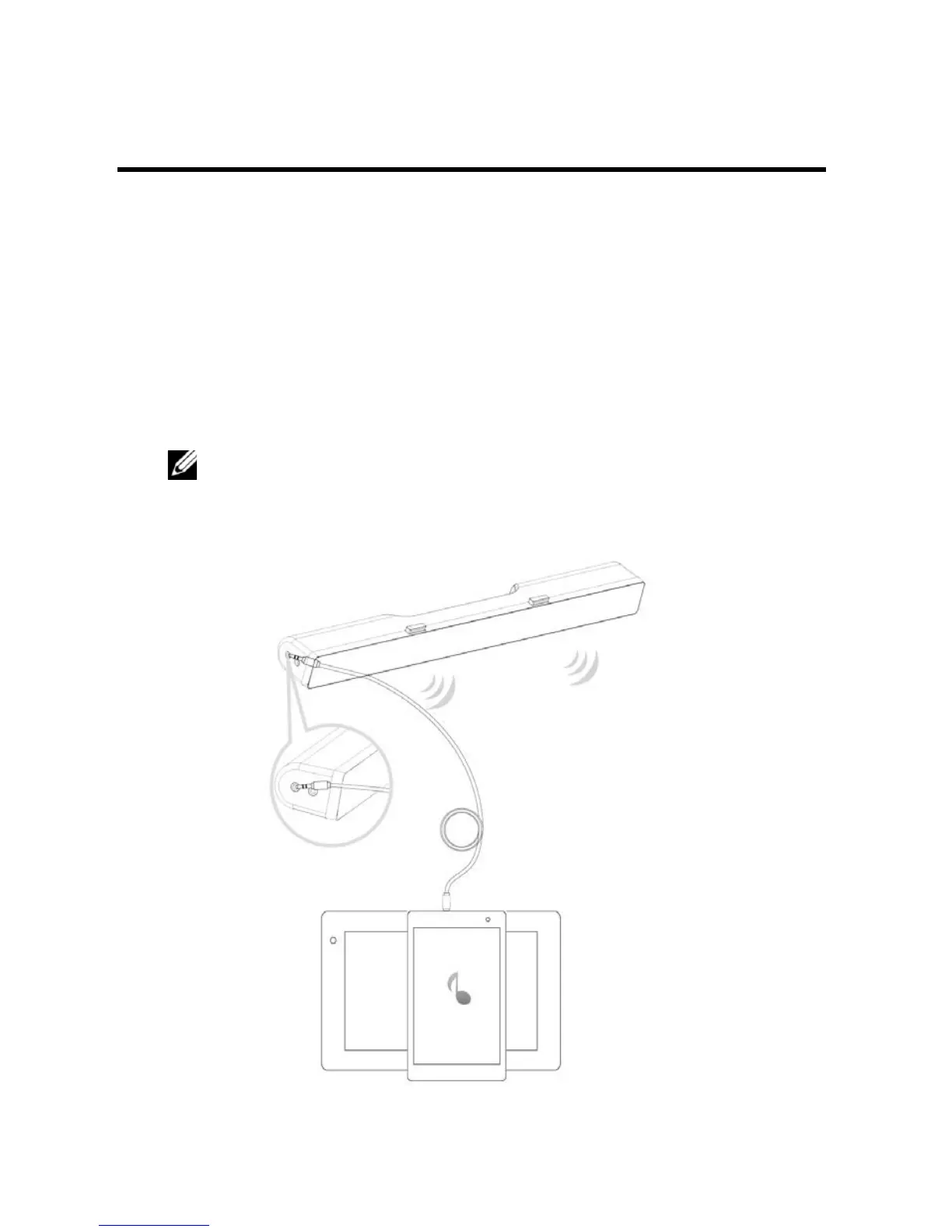
Use the audio in or aux-in jack to connect your audio device such as tablet or
smartphone to your Dell sound bar.
Audio-in port
You can play audio using the audio-in cable that came with your sound bar.
1 Connect the audio-in cable to the aux-in port on the left side of the
sound bar.
2 Connect the other end of the audio-in cable to your audio device.
3 Play music and adjust the volume as desired.
NOTE:
When audio in is the default playback device, the light
on the microphone button turns solid red. The sound bar
microphone cannot be used in this playback mode.



 To Next Page