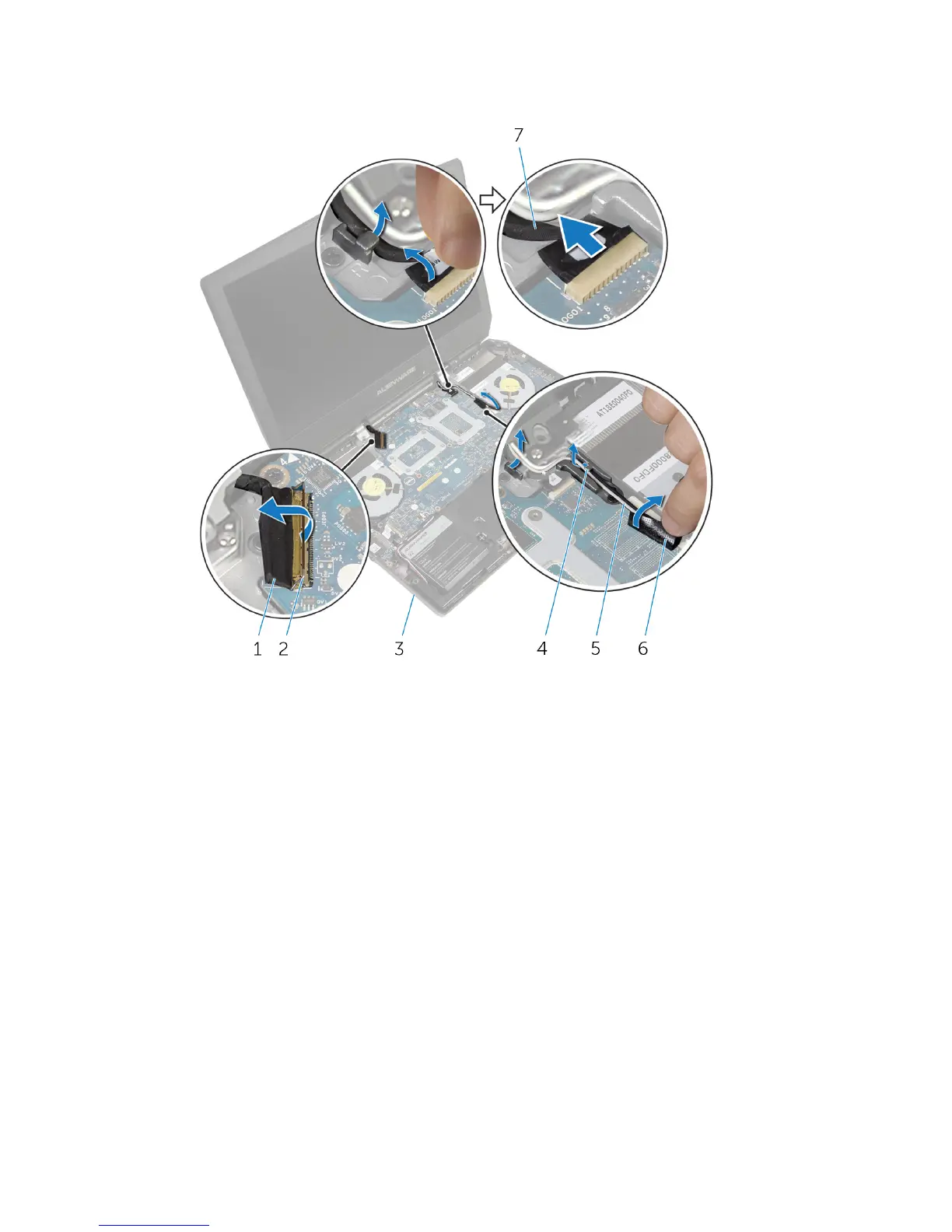
9 Peel off the adhesive tape, disconnect the logo-board cable from the
system board, and remove it from the routing guide on the display hinges.
1 display cable 2 latch
3 computer base 4 routing guides (2)
5 antenna cables (2) 6 adhesive tapes (2)
7 logo-board cable
10 Remove the screws that secure the display assembly to the computer
base.
79











 To Next Page