Need help?
Do you have a question about the Dell Alienware 610M and is the answer not in the manual?
Identifies the primary device included in the package.
Describes the included cable for charging or connectivity.
Details the included adapter for connecting the USB dongle.
Specifies the wireless USB receiver for mouse connection.
Refers to the included printed materials like manuals or quick start guides.
Details the indicators for DPI settings and battery status.
Explains how to change the mouse's DPI settings.
Details the control for adjusting scroll wheel speed.
Describes the switch for turning the mouse on or off.
Specifies the port for charging or wired connection.
Lists available DPI settings and notes customization via AWCC.
Steps for preparing the mouse for initial use, including removing protective sheets.
Instructions for connecting the mouse wirelessly to portable devices.
Information on the mouse's rechargeable battery and initial charging recommendations.
Detailed steps for downloading and installing AWCC and the gaming peripheral driver.
Instructions for installing and using the AW610M Pairing Tool to resolve connectivity issues.
Solutions for when the mouse is unresponsive, including driver checks and restarts.
Steps to address the mouse lighting being off, such as waking from sleep.
Troubleshooting steps for when the mouse behavior differs from selected AWCC configurations.
Guidance for common cursor problems like unresponsiveness or incorrect movement.
Solutions for problems related to mouse button functionality or responsiveness.
Steps to fix issues with slow or lagging cursor movement.
Instructions on how to adjust the mouse pointer speed via Windows settings.
Addresses cursor lag due to wireless interference using the extension adapter.
Explains LOD calibration dependence on surfaces and suggests dark mouse pads.
Provides links to support resources, drivers, and user guides for the mouse.
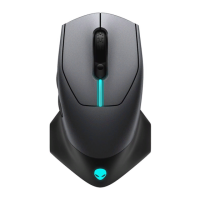
The Dell Alienware 610M Gaming Mouse is a high-performance peripheral designed for an enhanced gaming experience, offering both wired and wireless connectivity options. This mouse is equipped with a range of features that allow for precise control, customization, and comfortable use during extended gaming sessions.
The Alienware 610M Gaming Mouse serves as a primary input device for computers, specifically optimized for gaming. Its core function is to translate physical movements into on-screen cursor actions and to register button presses for various in-game commands. The mouse supports adjustable DPI (Dots Per Inch) settings, allowing users to fine-tune tracking resolution for different gaming scenarios, from precise aiming to rapid movements. It also features customizable scrolling speed, enabling users to navigate through menus or web pages at their preferred pace. The inclusion of programmable buttons, such as forward and backward buttons, further enhances its utility by allowing users to assign specific functions or macros for quick access. The mouse operates in both wireless mode, utilizing a USB dongle for connectivity, and wired mode, through a micro USB to USB-A extension cable, which also facilitates battery charging.
The Alienware 610M Gaming Mouse is designed with several features to optimize its usability and performance.
The Alienware 610M Gaming Mouse is designed with ease of maintenance in mind, focusing on simple steps to ensure its longevity and consistent performance.
By following these usage and maintenance guidelines, users can ensure their Dell Alienware 610M Gaming Mouse delivers a reliable and high-performance experience for all their gaming and computing needs.


 To Next Page
 General