Operating your monitor │ 25
OSD warning messages
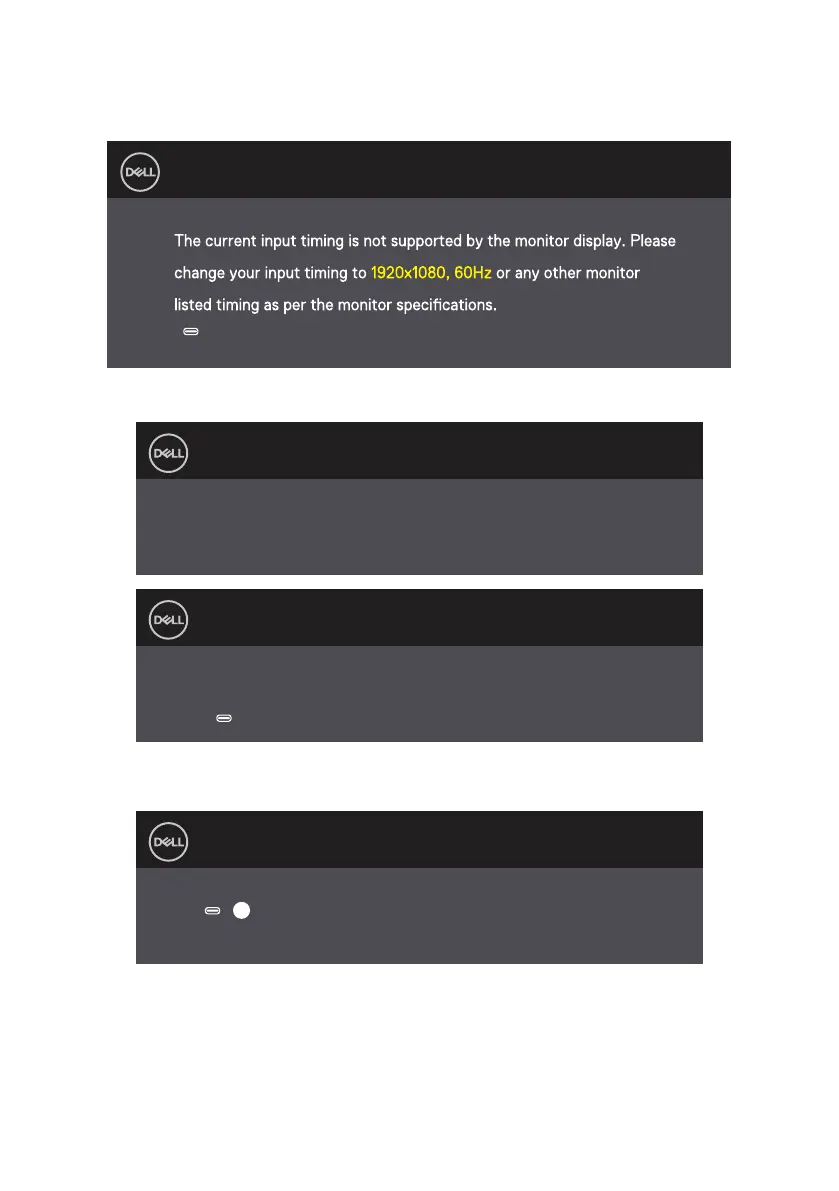
When the monitor does not support a particular resolution mode, you will see the following
message:
Dell 14 Monitor
C1422H
When the monitor enters Standby mode, the following message appears.
Dell 14 Monitor
C1422H
Scanning for signal...
Dell 14 Monitor
C1422H
Going Into Standby mode...
If USB Type-C cable is connected but without video signal, a floating dialog box as shown
below appears.
Dell 14 Monitor
C1422H
No Type-C 1 signal from your device.
?
See Troubleshooting for more information.



 To Next Page