Operating the Display | 37
Using the OSD lock function
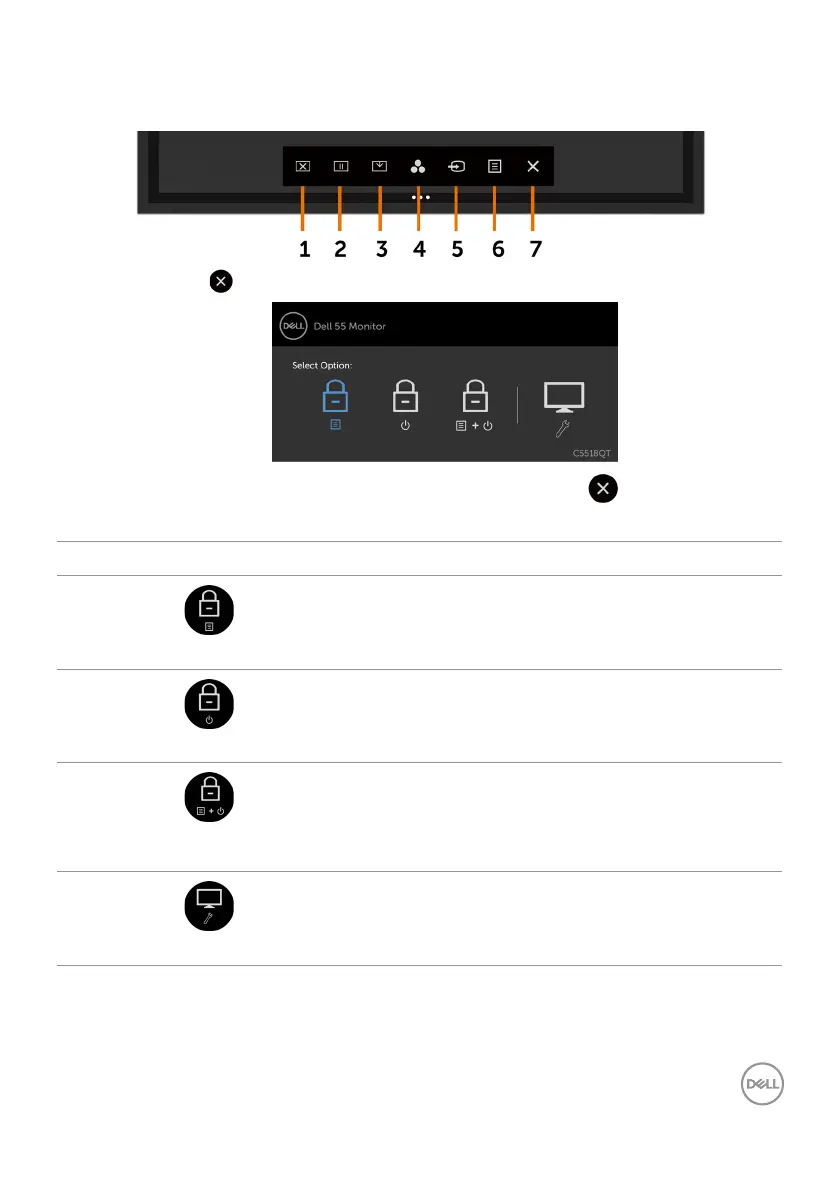
1. Press the OSD launcher touch key.
2. Touch and hold for 5 seconds. you can see following select option:
The following table describes the touch control icons:
Options Description
1
OSD menu lock
Use this icon to lock OSD menu function.
2
Power-off button lock
Use this icon to lock power button from powering off.
3
OSD menu and power
button lock
Use this icon to lock OSD menu and power button from
powering off.
4
Built-in Diagnostics
Use this icon to run the built-in diagnostics, see Built-in
Diagnostics.











 To Next Page