52 Operating the Monitor
Dell Web Management for Monitors
Before accessing the Dell Monitor Web Management feature, please refer to the
Ethernet Problems . Ensure the Ethernet is working normally.
To access the Dell Monitor Web Management tool you need to set the IP Addresses for
your computer and the monitor.
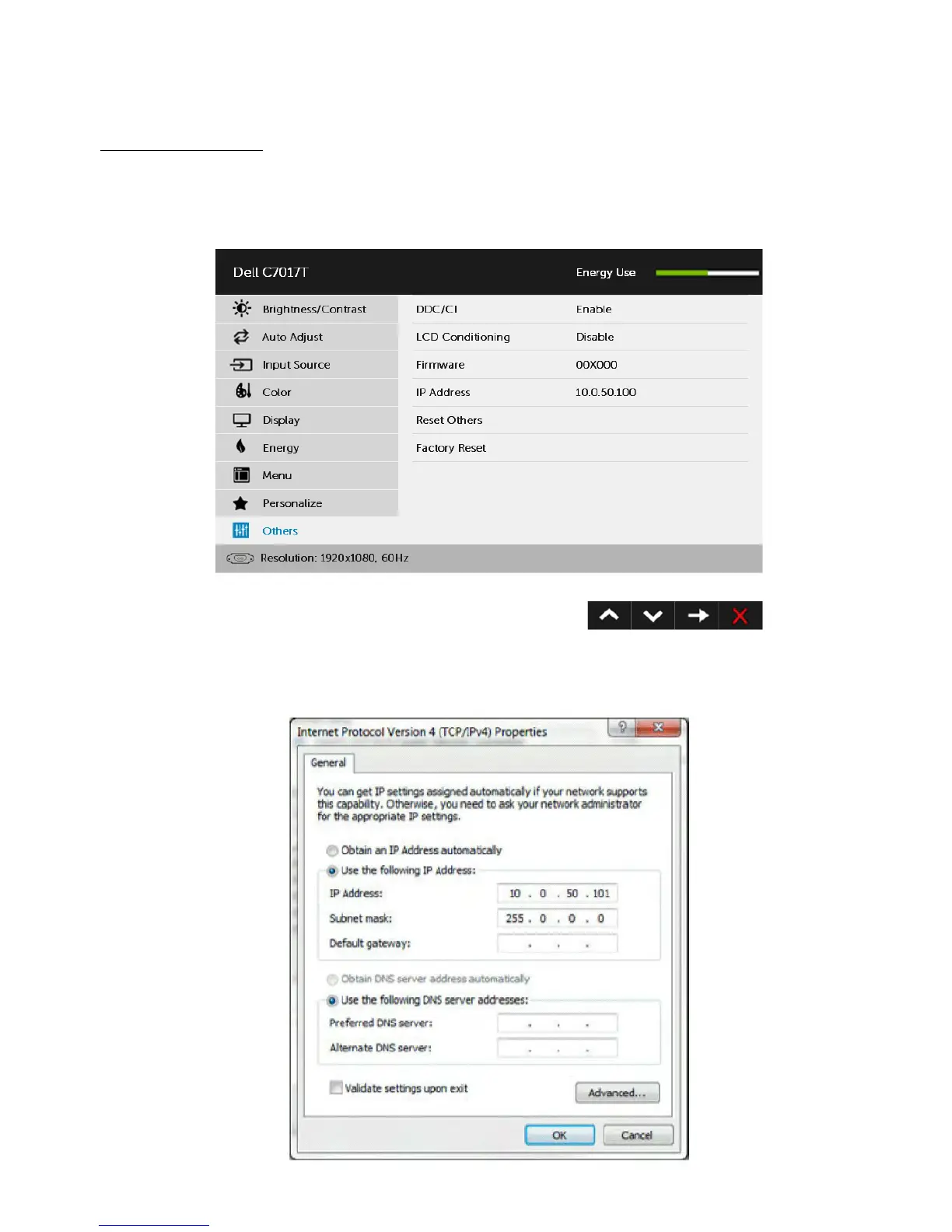
1. Press the Menu key on the remote control to display the IP Address of the monitor,
or by navigating to OSD Menu > Others. By default, the IP Address is 10.0.50.100
2. In the computer’s IP Properties tab, specify an IP Address by selecting Use
the following IP Address and enter the following values: For IP Address:
10.0.50.101 and for Subnet Mask: 255.0.0.0 (leave all other entries as blanks).


 To Next Page