32 Setting Up the Monitor
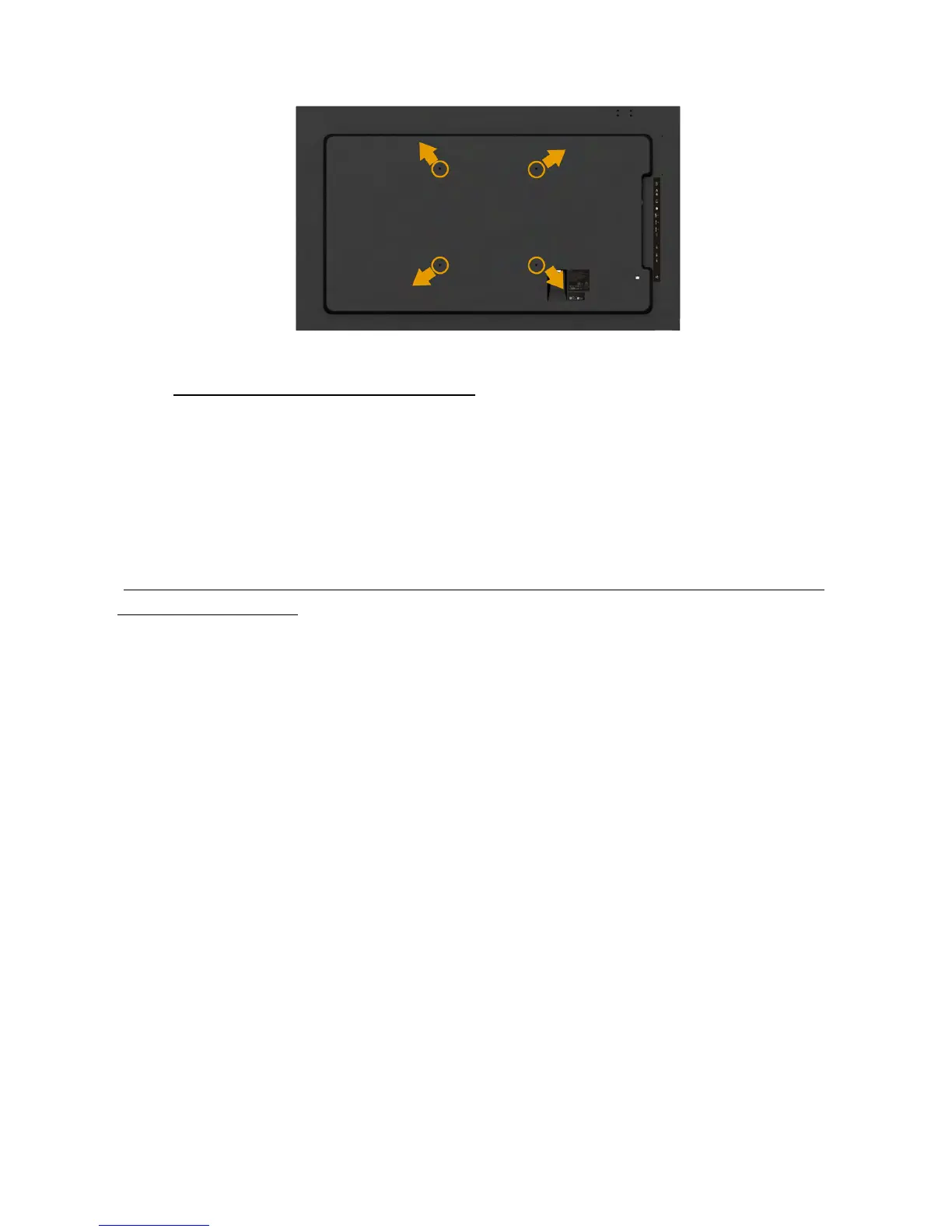
Wall Mounting
(Screw dimension: M8 x 20 ~ 30 mm).
Refer INSTALLATION INSTRUCTIONS to that come with LSA1U Wall Mount
kit and the VESA-compatible base mounting kit (400 x 400 mm distance).
1. Install Wall Plate to Wall.
2. Place the monitor panel on a soft cloth or cushion on a stable flat table
3. Attach the mounting brackets from the wall mounting kit to the monitor.
4. Install Display to Wall Plate.
For more information, see the Wall Mount provider website located at
http://www.milestone.com/~/media/Files/Chief/Manuals/MSA1U_MTA1U_
LSA1U_LTA1U-I.pdf
.


 To Next Page