66 Troubleshooting
Ethernet Problems
Common Symptoms What You
Experience
Possible Solutions
Ethernet not working Dell Web
Management for
Monitors Webpage
control is not working
•Ensure that the Network cable
connecting the Monitor is properly
secured.
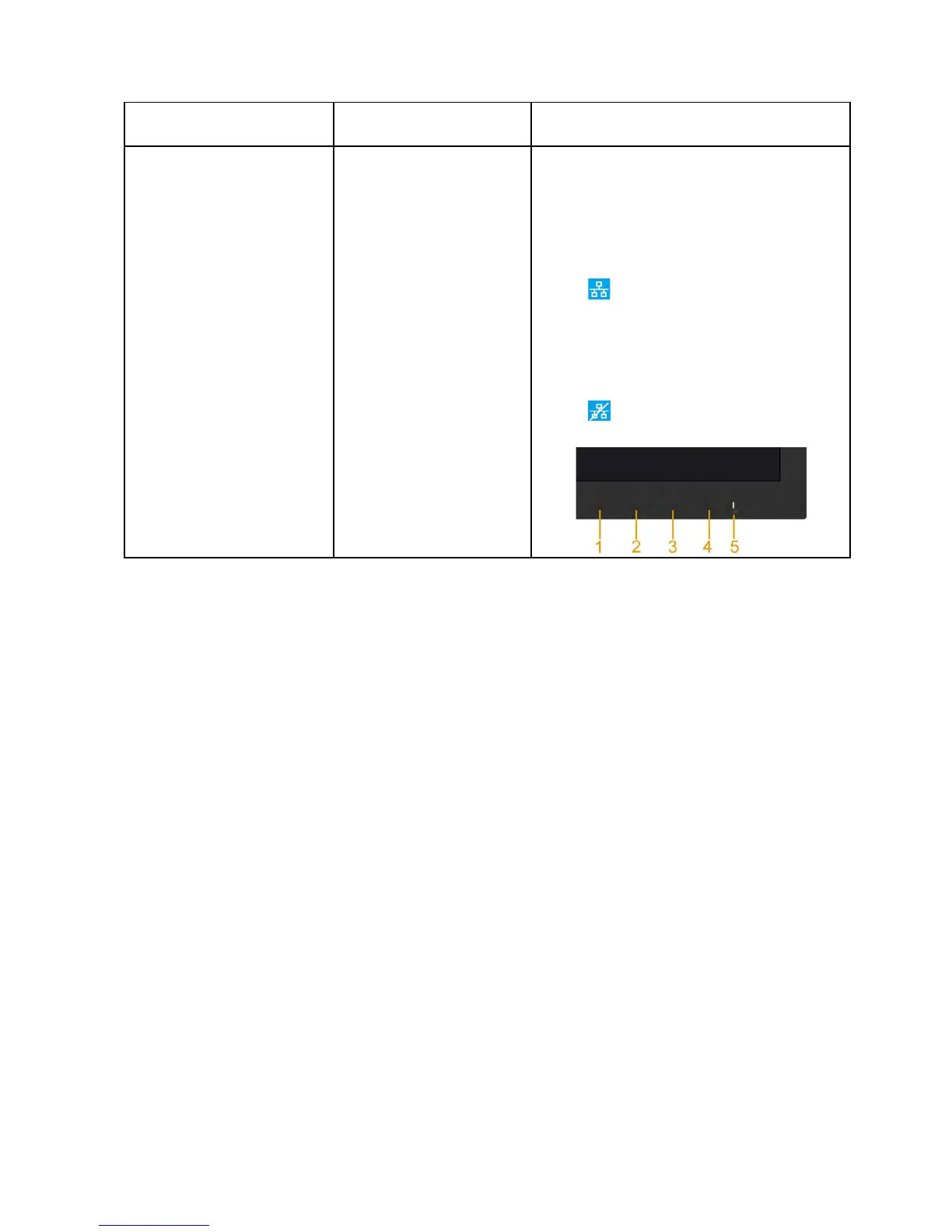
•Press and hold the Button 1 and
Button 3 on the front panel for 3
seconds to turn on , A network
icon
appears and is shown on
Top - left corner for 5 seconds .
•Press and hold the Button 1 and
Button 3 on the front panel for 3
seconds to turn o , A network
icon
appears and is shown on
Top - left corner for 5 seconds .


 To Next Page