Connecting Wired Keyboard and Mouse │ 11
Connecting Wired Keyboard and Mouse
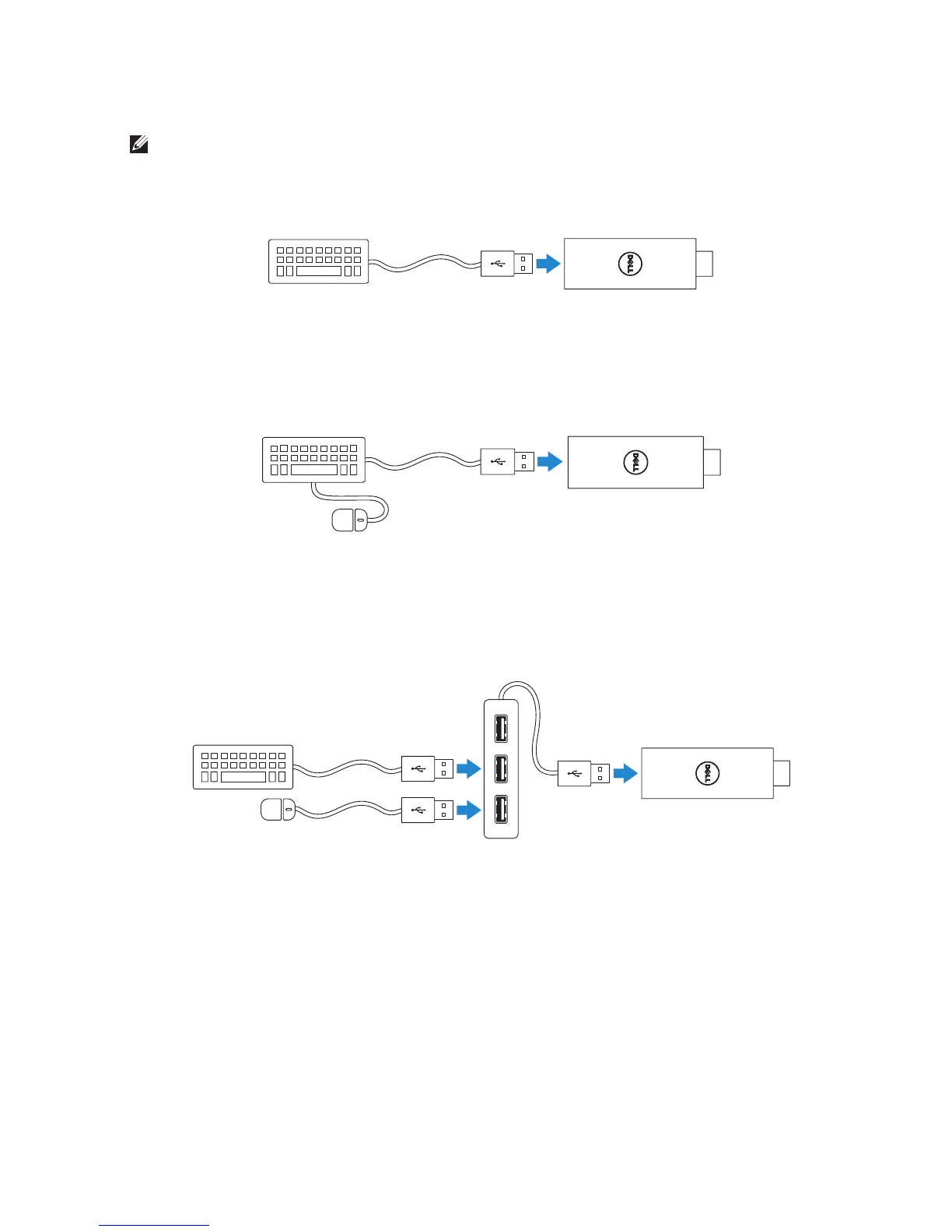
NOTE: You must connect a keyboard to complete Dell Cast setup.
If you are connecting only a keyboard, connect the keyboard to the
USBport on Dell Cast.
Keyboard with a built-in USB hub
1. Connect the keyboard to the USB port on Dell Cast.
2. Connect the mouse to the USB port on the keyboard.
External USB hub
1. Connect the USB hub to Dell Cast.
2. Connect the keyboard and mouse to the USB hub.



 To Next Page