8 │ Connecting Dell Cast
Connecting Dell Cast
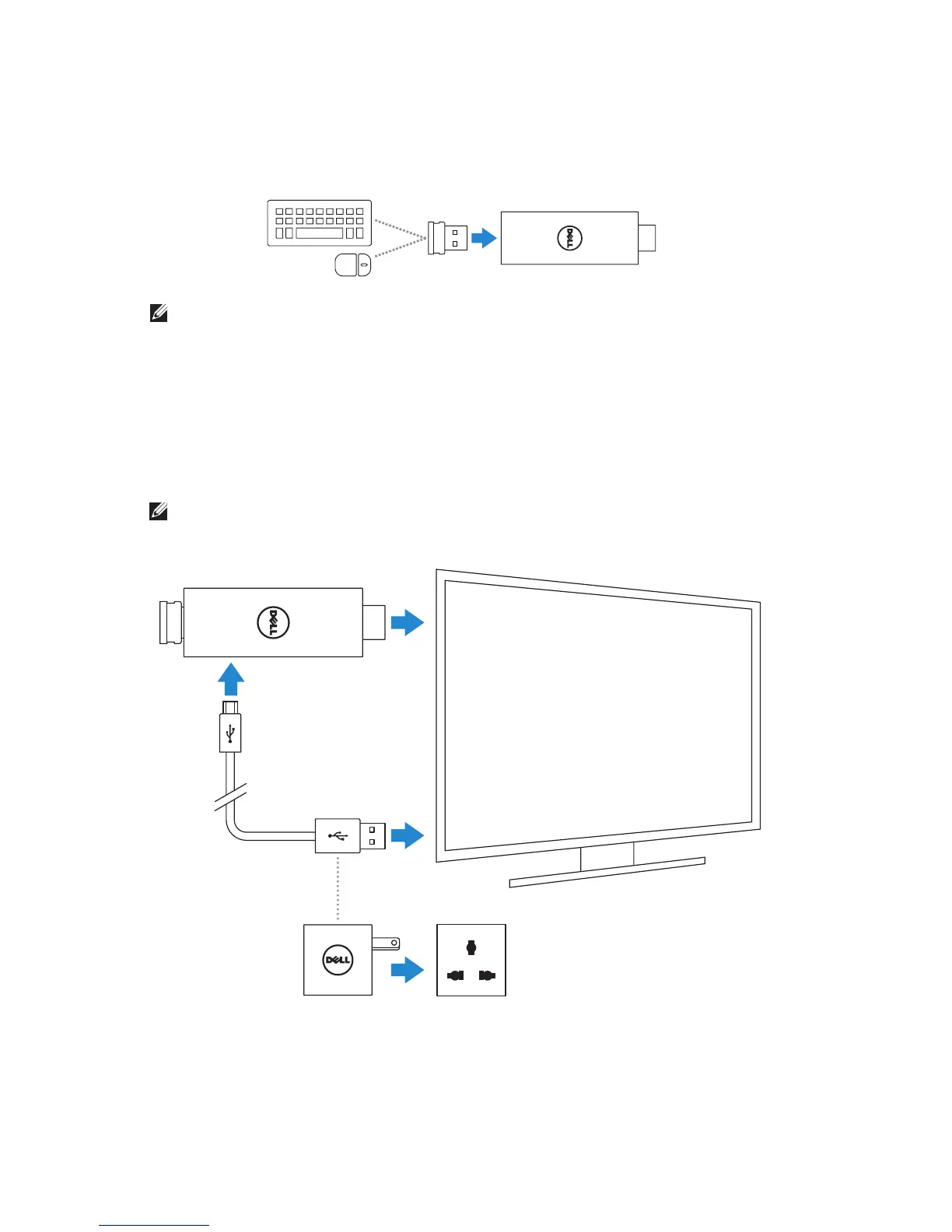
1. Connect the receiver for wireless keyboard and mouse to Dell Cast,
and turn on the keyboard and mouse.
NOTE: If you are connecting a wired keyboard and mouse,
see“Connecting Wired Keyboard and Mouse” on page 11.
2. Connect Dell Cast to an HDMI port on the display device.
3. Connect the micro-USB end of the USB cable to the micro-USB port
on Dell Cast.
4. Connect the USB end of the USB cable to a powered USB port on your
display device.
NOTE: If there is no powered USB port on the display device, use a
power adapter.
Or



 To Next Page