Back to Contents Page
Controls and Lights
Dell™Dimension™4300S
Computer Stand
Front View
Back View
Computer Stand
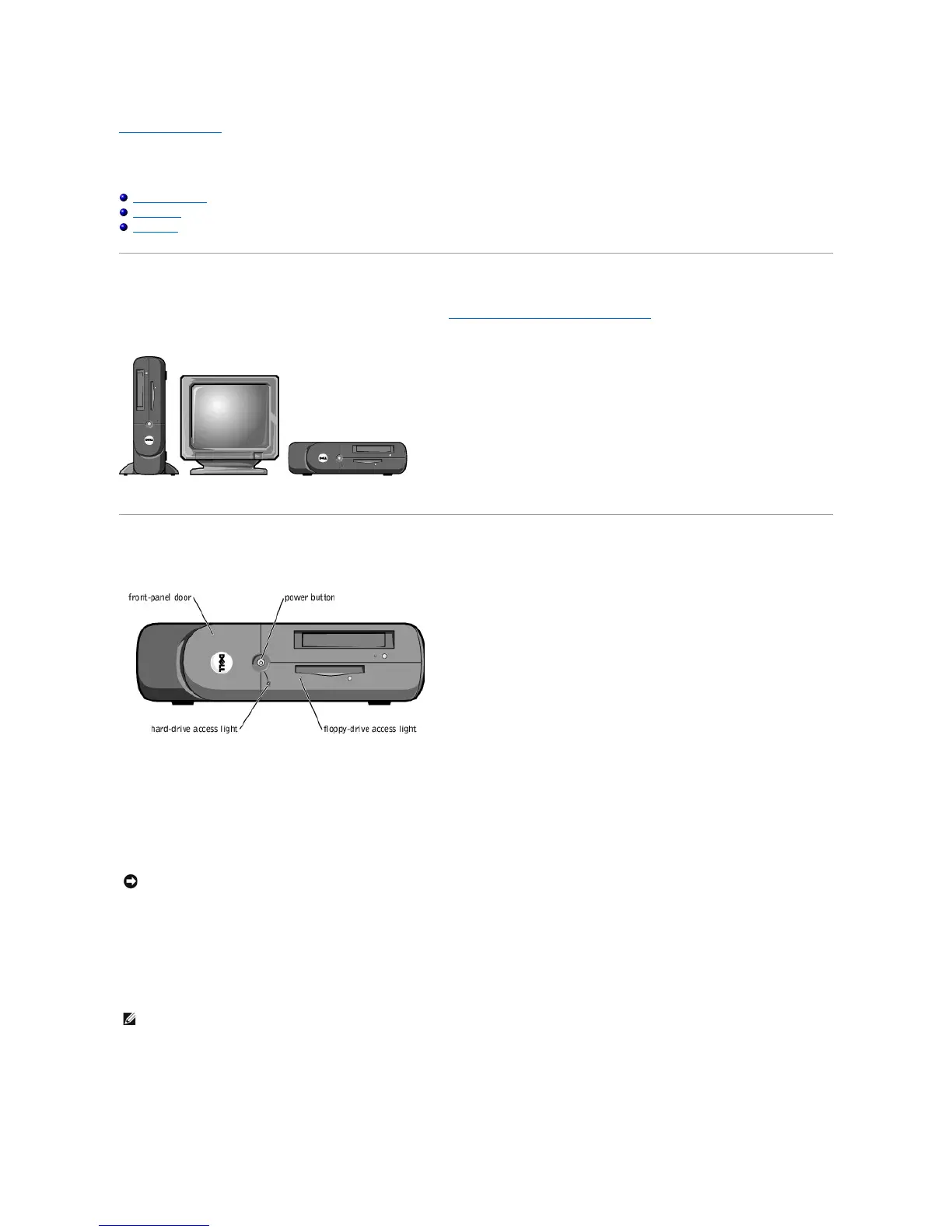
The computer can be used in either a vertical or horizontal position. See "Attaching and Removing the Computer Stand" for more information.
Front View
Front-Panel Door
The front-panel door opens for access to a headphone connector and two USB connectors.
Power Button
Press the power button to turn on the computer.
Floppy-Drive Access Light
The floppy drive light is on when the computer reads data from or writes data to the floppy drive.
Hard-Drive Access Light
The hard drive light is on when the computer reads data from or writes data to your hard drive.
NOTICE: To turn off your computer, perform a Microsoft®Windows®shutdown rather than pressing the power button. Otherwise, you may lose data.










 To Next Page