20 Setting Up the Monitor
Removing the Monitor Stand
NOTE This is applicable for a monitor with a stand. When any other stand is bought,
please refer to the respective stand setup guide for the removal instructions.
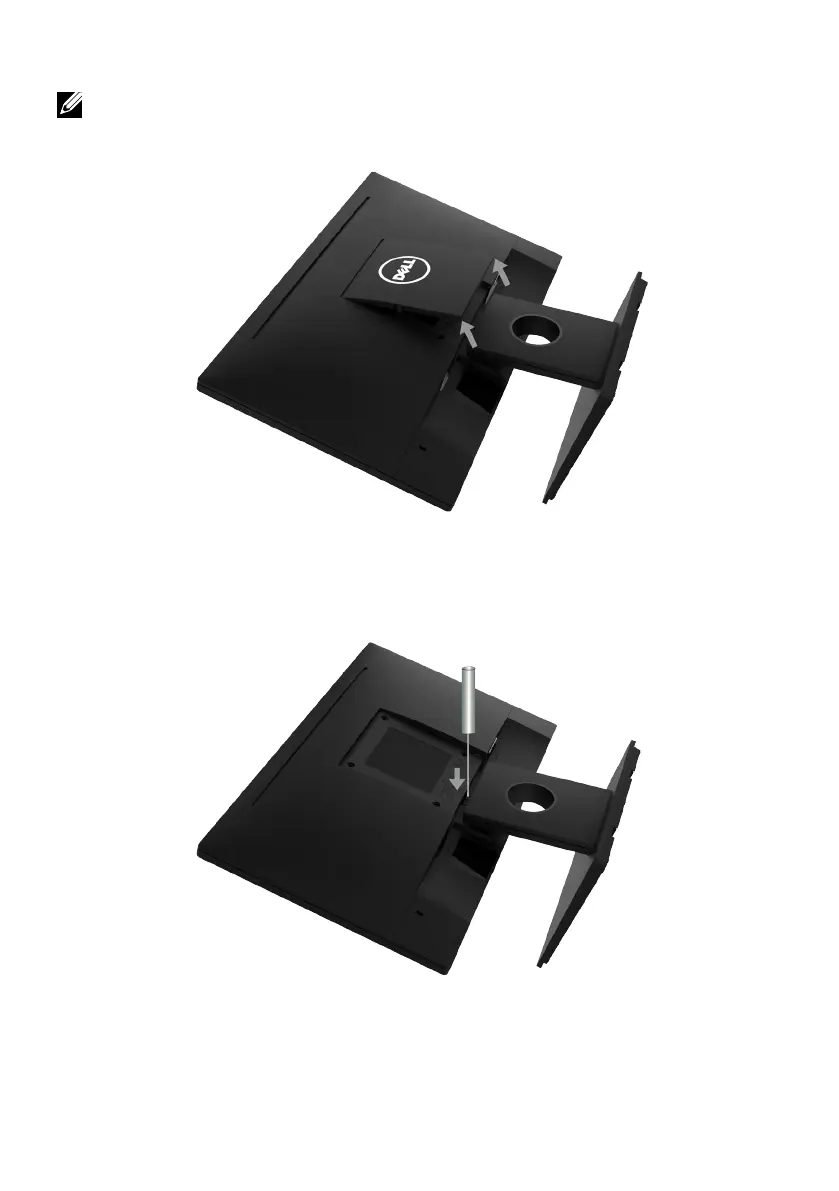
1. Remove the VESA Cover.
a. Place the monitor panel on a soft cloth or cushion.
b. Lft from both side simultaneously, remove the VESA Cover away from
the monitor.
2. Remove the stand assembly to the monitor.
a. Use a long screwdriver to push the release latch located in a hole just
above the stand.
b. Once the latch is released, remove the base away from the monitor.



 To Next Page