Great user manuals database on UserManuals.info
See Solving Problems for more information.
Setting the Maximum Resolution
To set the Maximum resolution for the monitor:
1. Right-click on the desktop and select Properties.
2. Select the Settings tab.
3. Set the screen resolution to 1440x900 (E1910) or 1680x1050 (E2210).
4. Click OK.
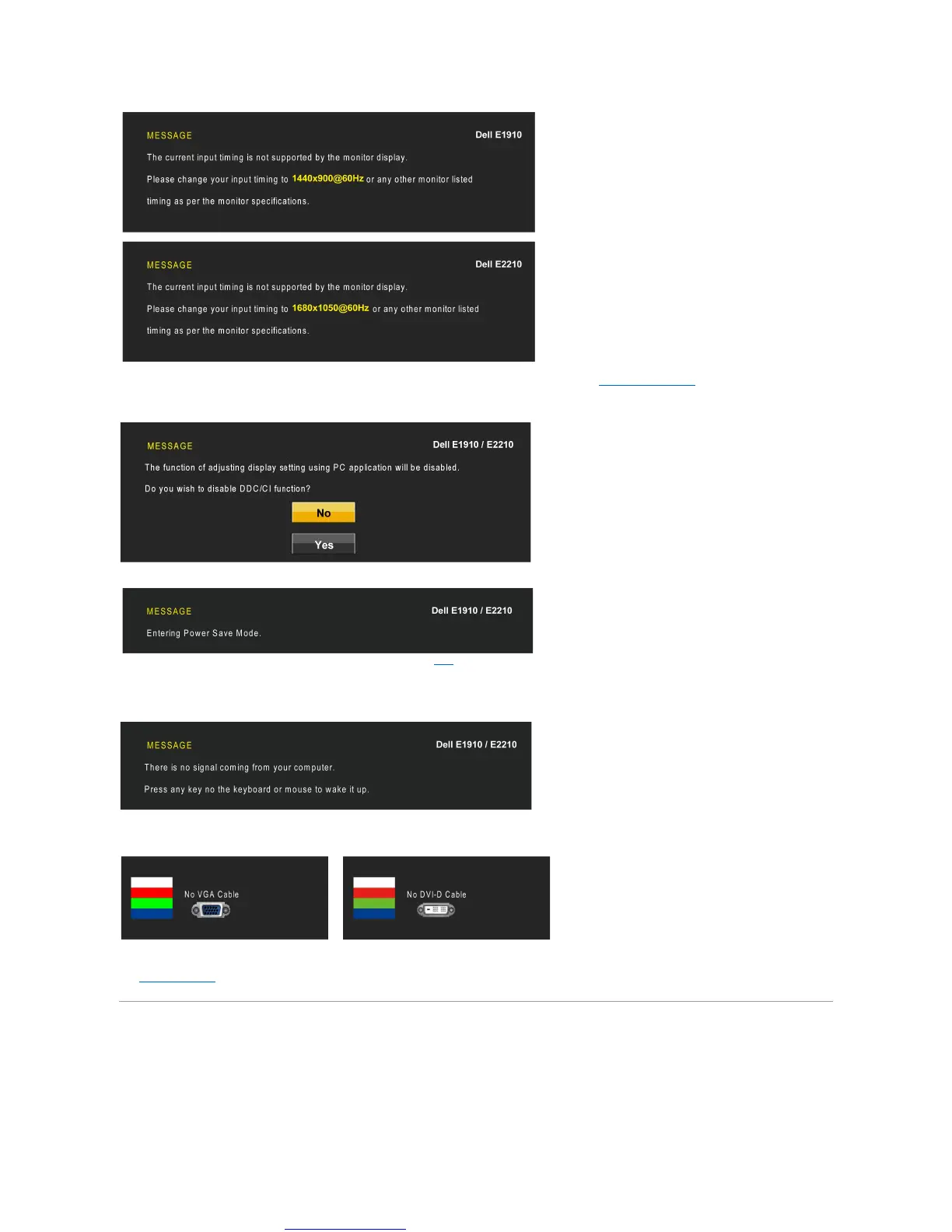
This means that the monitor cannot synchronize with the signal that it is receiving from the computer. See Monitor Specifications for the
HorizontalandVerticalfrequencyrangesaddressablebythismonitor.Recommendedmodeis1440x900 (E1910)/1680x1050 (E2210).
YouwillseethefollowingmessagebeforetheDDC/CIfunctionisdisabled.
WhenthemonitorentersthePowerSavemode,thefollowingmessageappears:
Activate the computer and wake up the monitor to gain access to the OSD
If you press any button other than the power button, the following messages will appear depending on the selected input:
If VGA or DVI cable is not connected, a floating dialog box as shown below appears.



 To Next Page