Great user manuals database on UserManuals.info
■ Energy Saver feature for Energy Star®compliance.
■ Security lock slot.
■EPEAT™GOLDcompliant.
■ Halogen reduced.
■ Asset Management Capability.
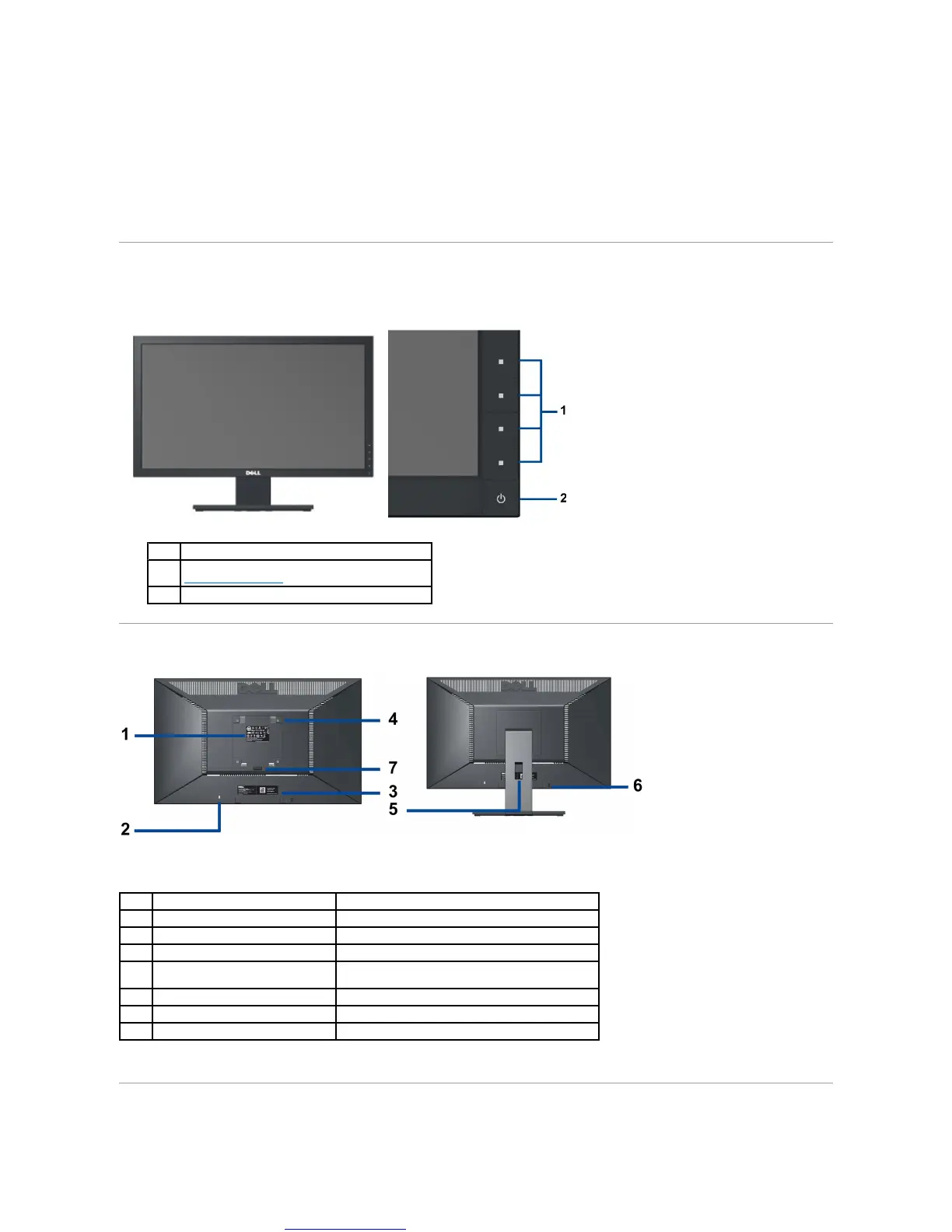
Identifying Parts and Controls
Front View
Back View
Side View
Function buttons (For more information, see
Operating the Monitor)
Power On/Off button (with LED indicator)
Back View with Monitor Stand
Lists the regulatory approvals.
To help secure your monitor.
Barcode serial number label
To contact Dell for technical support.
VESA mounting holes (100mm)
(Behind attached base plate)
To organize cables by placing them through the slot.
Dell Soundbar mounting brackets
To attach the optional Dell Soundbar.
Press to release the stand.



 To Next Page