Disassembly and reassembly 21
Installing the chassis assembly
Steps
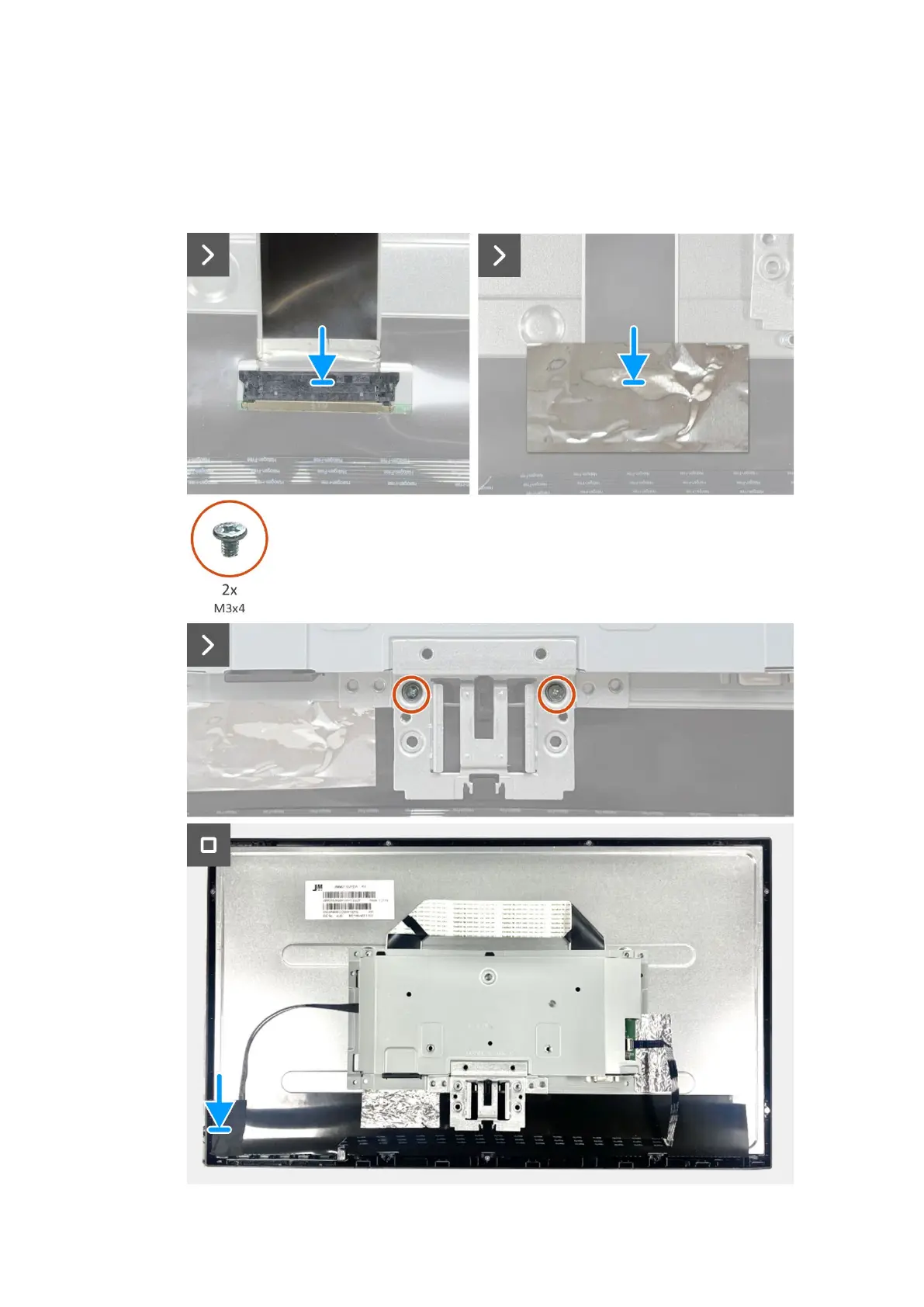
1. Connect the LVDS cable to the connector on the display panel. And adhere the aluminum foil on the LVDS connector.
2. Replace two screws (M3x4) to secure chassis assembly to display panel.
3. Connect the lightbar cable to the panel and adhere the tape to cover the connector.
Figure 18. Installing the chassis assembly



 To Next Page